5
Step 2
Install VESA Plate to the Back of TV
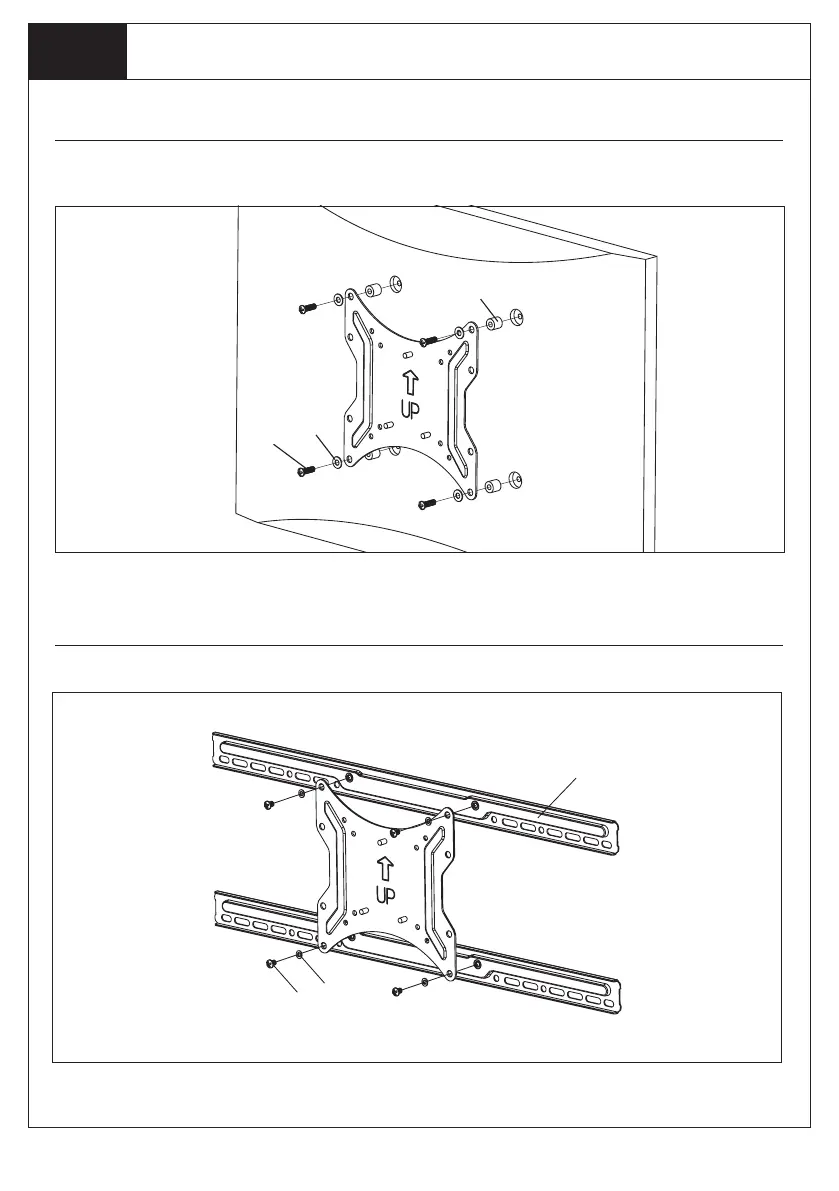
Option A: Mounting instructions for VESA 100 x 100, 200 x 100, 200 x 200
Attach TV Plate (b) to Mounting Holes on TV using appropriate TV Bolts and TV Washers. Use TV
Spacers if necessary.
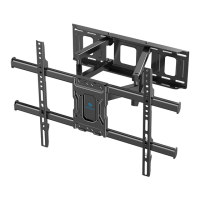
Option B: Mounting instructions for VESA 400 x 200
$
&
'
1. Attach TV Plate (b) to Horizontal Bars (A), using Bar Bolts (C) and Bar Washers (D).
GWRL
MN O
PQ L IQHFHVVDU\


 To Next Page