Step 3
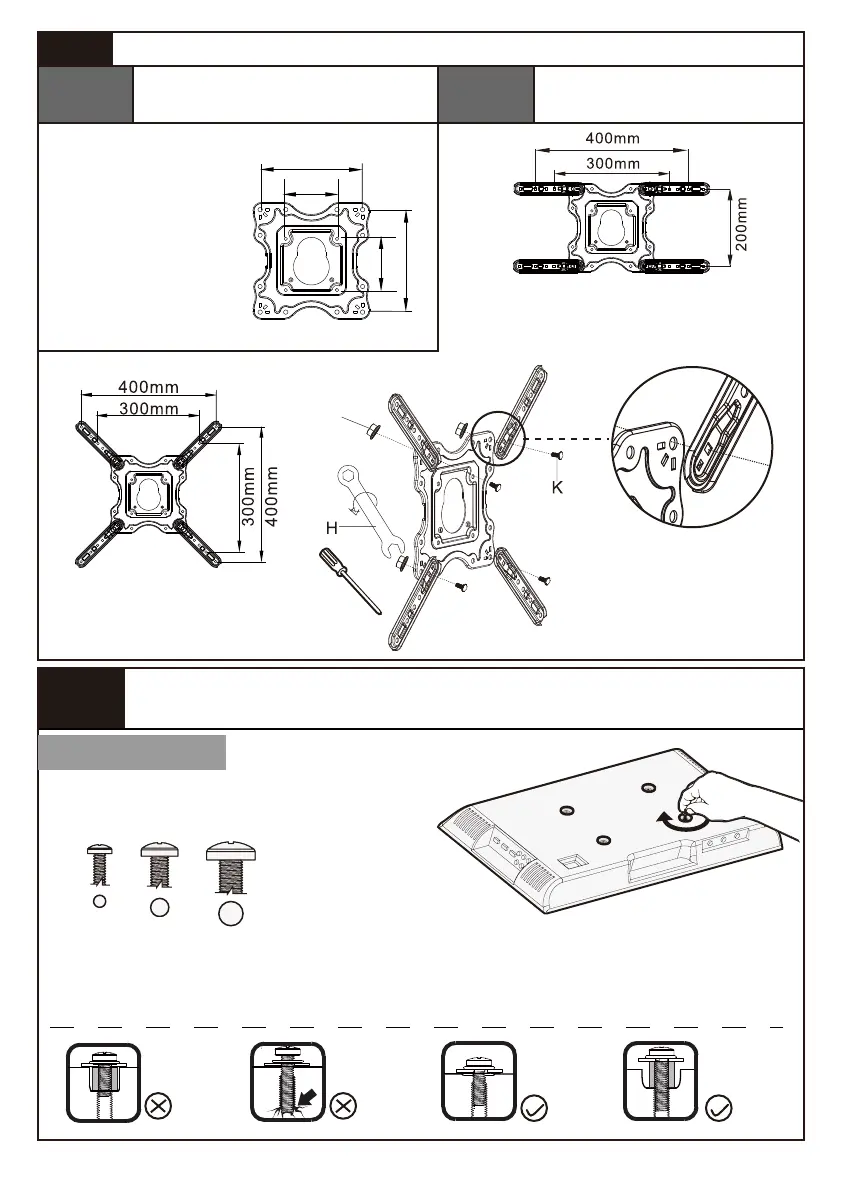
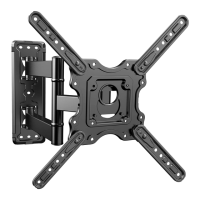
Secure the Faceplate [01A] or Faceplate [01A] with Extender
Brackets [02] to TV
Only one bolt size fits your TV.
M6M4 M8
for VESA hole pattern:
16 x 8 in.(400 x 200mm)
12 x 8 in.(300 x 200mm)
for VESA hole pattern:
16 x 16 in.(400 x 400mm)
12 x 12 in.(300 x 300mm)
for VESA hole pattern:
4x4 in./100x100mm
8x8 in./200x200mm
200mm
100mm
200mm
100mm
Option A
Step 2 Choose the Combination that Applies to Your VESA Hole Pattern
Bolt length: Verify adequate thread engagement with bolts or bolts/spacers
combination. We recommend thread engagement by at least 5 turns.
-Too short will not hold the TV.
-Too long will damage the TV.
Too Short Too Long Correct
Correct
Select TV Bolts
04
No Need to Attach Extender
Brackets [02] to Faceplate
Option B
Need to Attach Extender
Brackets [02]
to Faceplate
F
or
Note: The small bump on the
extender bracket should be
aligned with the hole on the
faceplate


 To Next Page