D
O
N
O
T
o
v
e
r
t
i
g
h
t
e
n
D
O
N
O
T
o
v
e
r
t
i
g
h
t
e
n
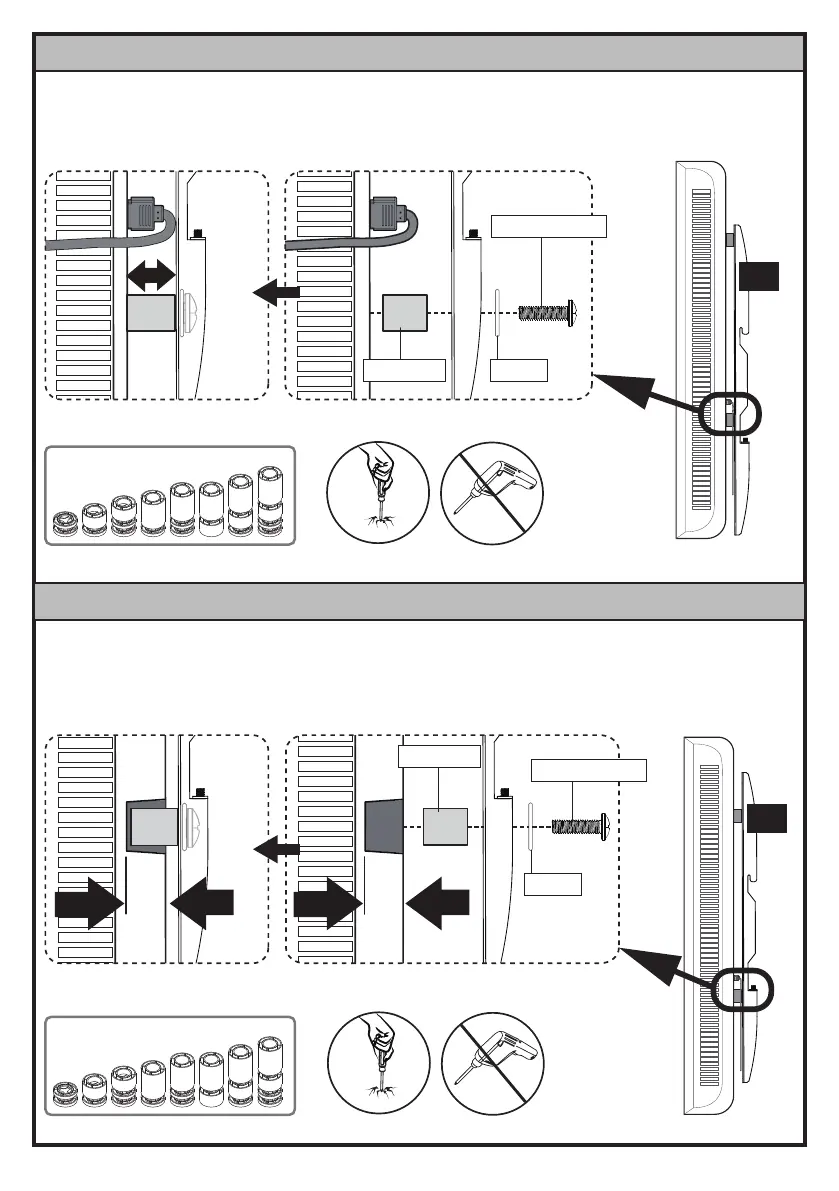
Use spacers [F1], [F2] or [F3] to create extra space between the TV and TV brackets.
Option D: For TVs with Protruding Cables
Spacers [F1], [F2] or [F3] need to fill in the recessed holes on the back of the TV, while keeping
the TV brackets as close to the TV as possible.
Option E: For TVs with Recessed Holes
B1/B2
B1/B2
F1/F2/F3
F1/F2/F3
C2/D2/E2/E3
C2/D2/E2/E3
13
13
09






 To Next Page