
 Need help?
Do you have a question about the Perlesmith PSTVMC04 and is the answer not in the manual?
Check VESA pattern, weight limits, and required tools before installation.
Essential safety precautions and warnings for proper use and accident prevention.
How to hand-thread bolts to find the correct size for your TV.
Using spacers for flat, curved, bumped, or recessed TV backs.
Detailed steps for attaching the selected brackets to the TV.
 General
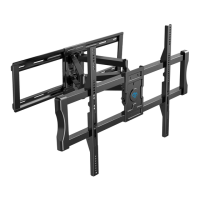
| Mount Type | Full Motion |
|---|---|
| Weight Capacity | 88 lbs |
| Material | Steel |
| Color | Black |
| Installation Tools Included | Yes |
| Cable Management | Yes |
| Level Bubble Included | Yes |
| Tilt Range | +5° to -15° |
| Swivel Range | ±90° |
| Mounting Type | Wall |





 To Next Page