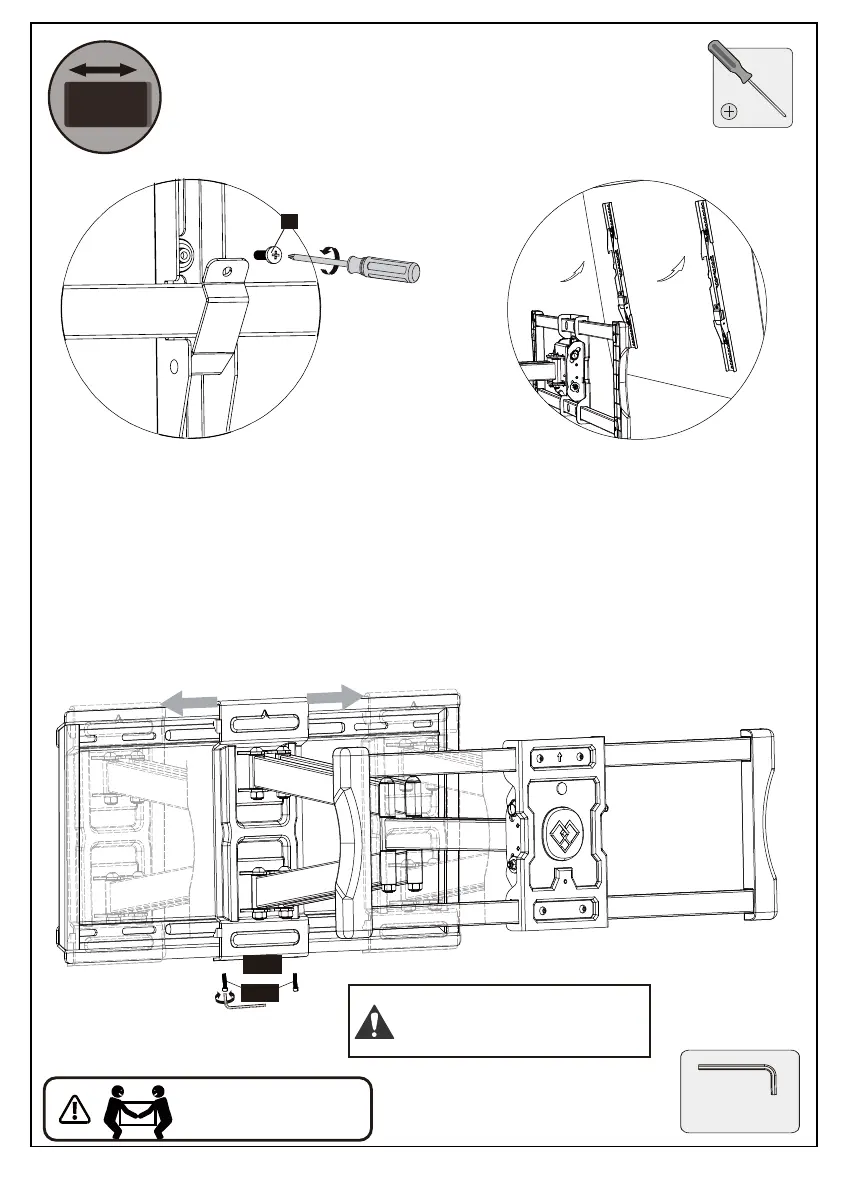
To better position your mount and TV on your wall, the mount can be
horizontal shifted left to right by following these steps.
S
Loosen bolts [S]
Take off TV
Allen Key
02
F1
Note: The bolts [F1] need
to be tightened hard.
Note: Please take off the TV before shifting
the arm assmebly along the wall plate
1. Loosen the bolts [F1].
2. Shift the arm assembly [02] to your desired position.
3. Tighten the bolts [F1] hard.
4. Repeat the procedures in Step 5 to rehang and secure the TV onto the front
support[09].
HEAVY! You may need
assistance with this step.
Horizontal
Shift
13






 To Next Page