Feature Description
Low battery
indicator
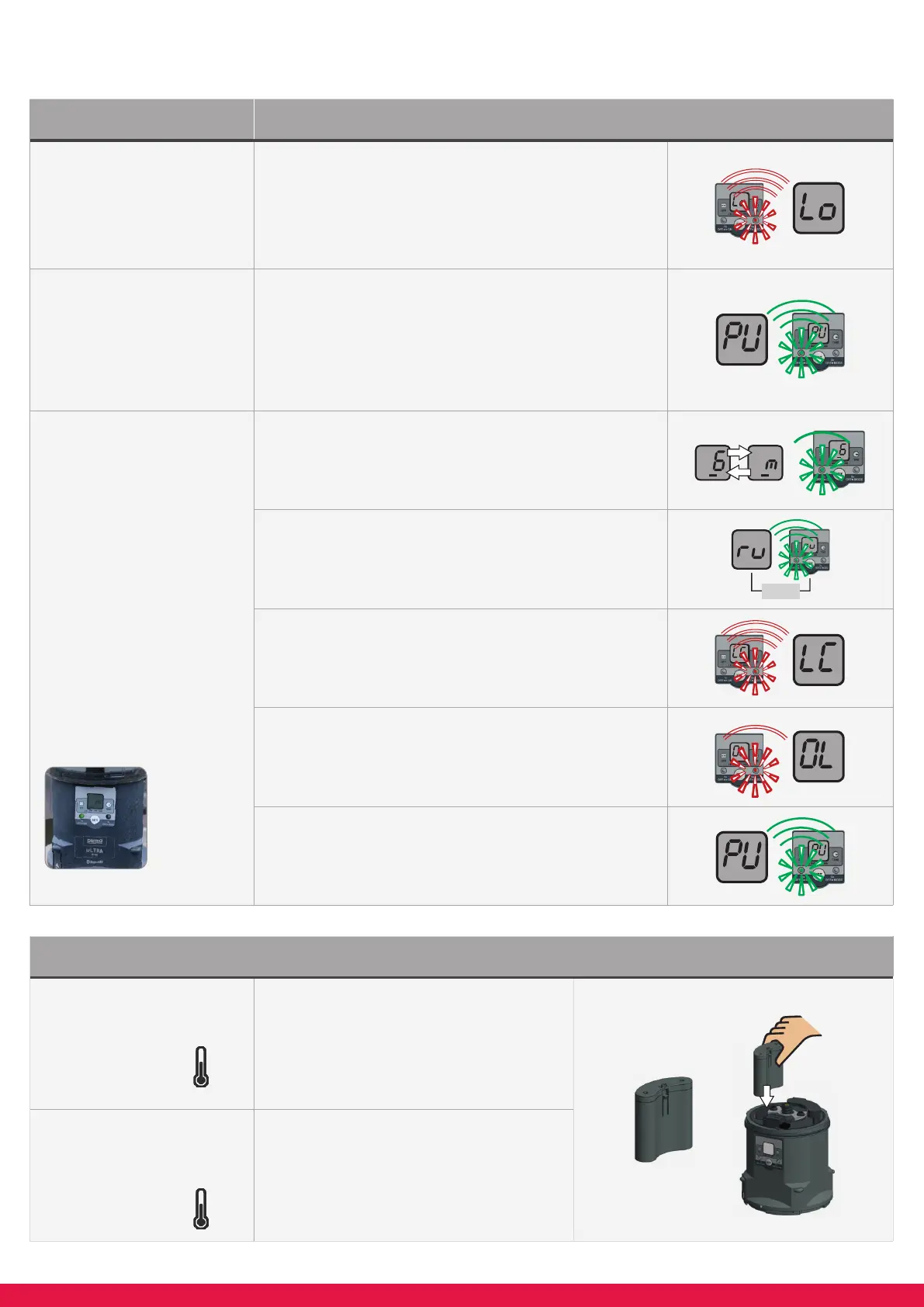
If the battery set which has been inserted is damaged,
faulty or fl at “Lo” will be registered on the LCD. The red
LED will double fl ash. The batteries cannot be used.
A new set of batteries is required for each new lubricator
cartridge in order to ensure optimal lubricator
performance.
Purge
Access the purge feature by holding down the SET button
for 10 seconds. Release the button when “PU” appears
and the purge will start automatically and show the “PU”
LCD display. The green LED and backlit LCD will fl ash.
The purge cycle runs for 3 complete discharges to deliver
6 cc of grease. It can be stopped at any time by pushing
the SET button once.
LED Light & LCD
Screen combinations
LED’s positioned at
2 locations of the
sides of the drive,
colored red and green.
Normal operation:
-
Green LED fl ashes every 8 seconds
- LCD screen displays time & volume
Run cycle (lubricant being delivered):
-
Green LED and backlit LCD fl ashes every second
- LCD screen displays “ru”
Empty Lubricant Cartridge (LC):
- Red LED double fl ashes every 3 seconds
- LCD screen displays “LC”
Blockage / Back Pressure Overload (OL):
-
Red LED double fl ashes every 8 seconds
- LCD screen displays “OL”
Purge (PU):
-
Green LED and backlit LCD fl ashes every second
- LCD screen displays “PU”
Quick Reference
Battery usage
Standard applications
-20 °C to + 60 °C
-4 °F to +140 °F
Use Refi ll kit Standard (alkaline)
Low temperature
applications
-40 °C to + 60 °C
-40 °F to +140 °F
Use Refi ll kit low temperature (lithium)
RUN



 To Previous Page