F3 Corpus
Getting to know your wheelchair
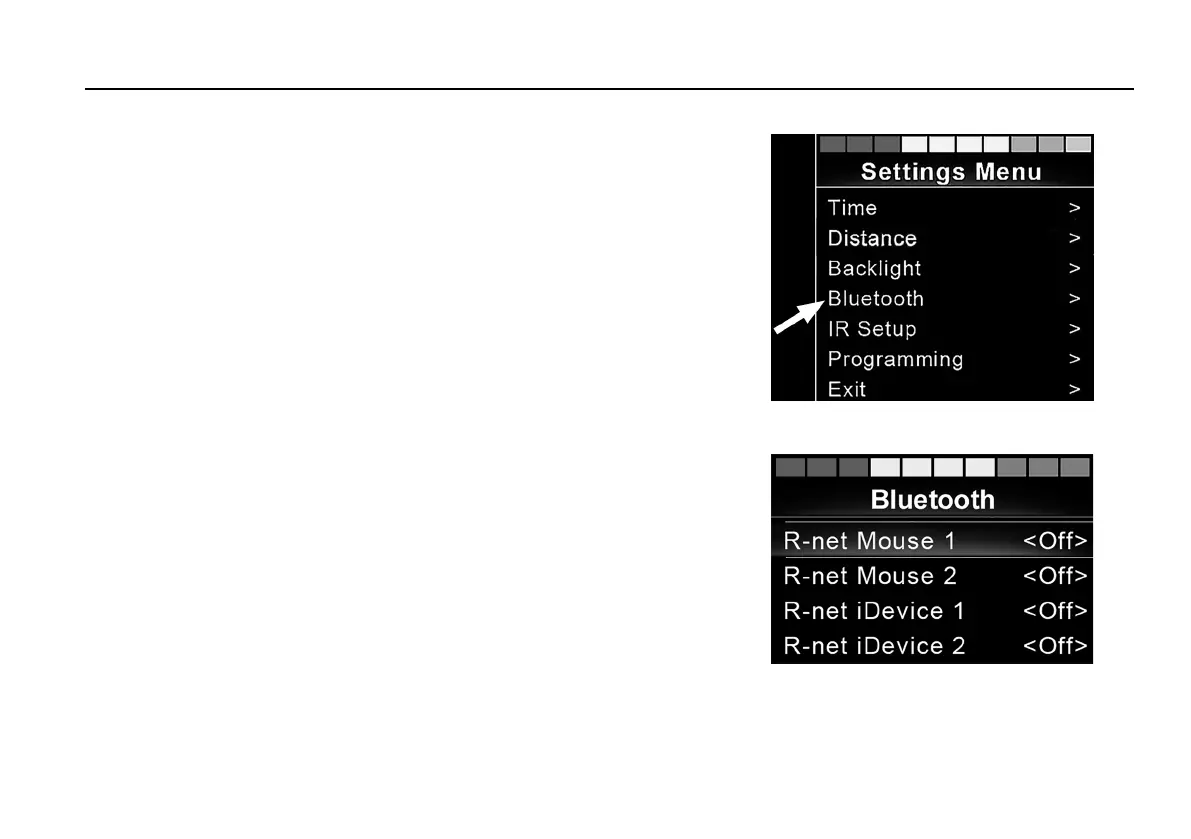
Settings Menu
Figure 55. Select Bluetooth® to access the submenu.
Press the hazard flasher button for 2 seconds to open the Settings
Menu. Select Bluetooth®.
Figure 56. The Bluetooth® submenu.
The screen now displays the submenu as illustrated.
Choose a device. Set it to On by nudging the joystick to the right.
The R-Net system must now be switched off and then on again.
The name of each device can be changed by using a computer with
an installed R-Net programming tool.
87













 To Next Page