Before First Use
6
STEP THREE
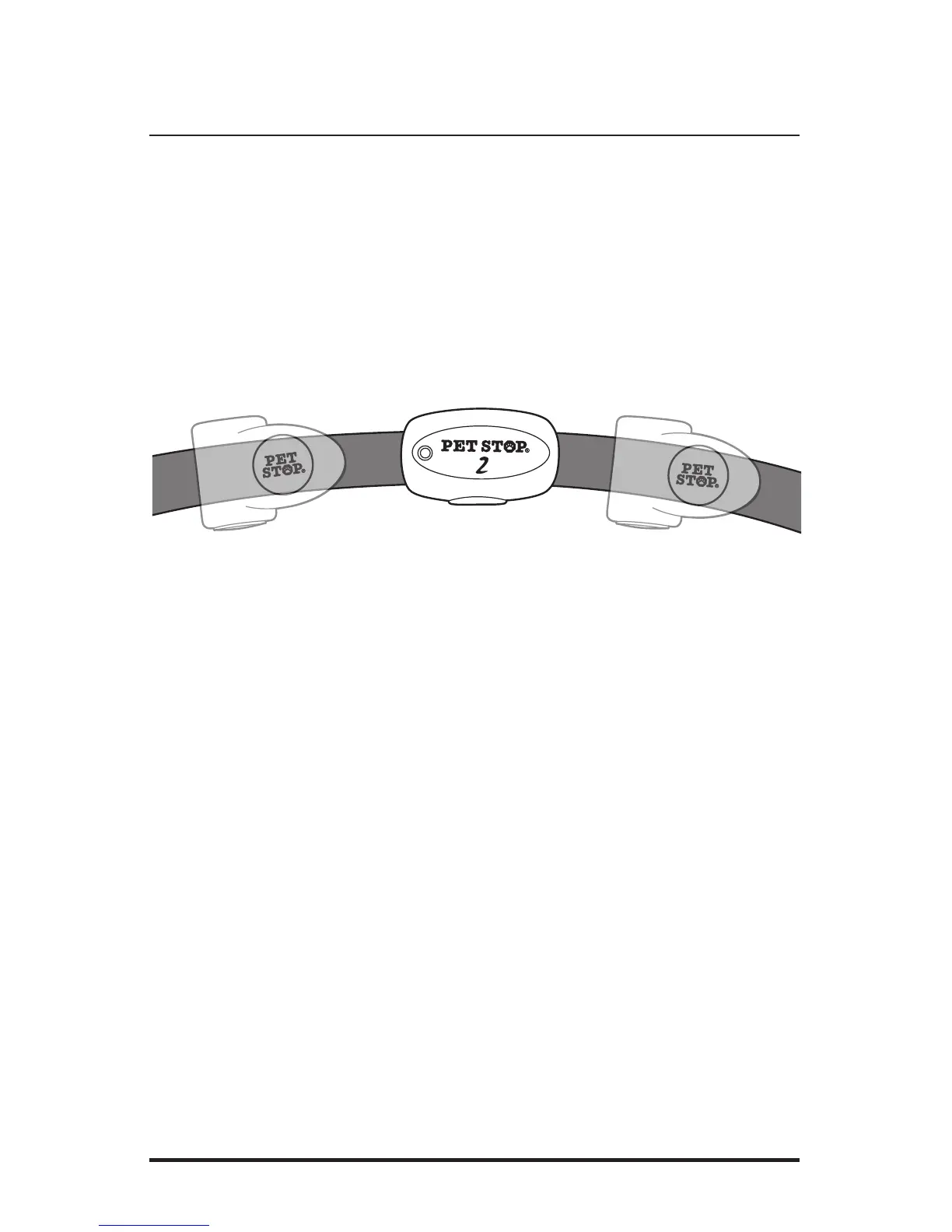
Attach the remote Receiver to the fencing collar nylon strap. The location can be to the
right or left, but within 3 inches of fencing collar receiver for proper stimulation activation.
STEP FOUR
The Universal Remote needs to be programmed to provide stimulation from the system’s
pet fence collar. To program the Universal Remote to any brand of pet fence use the fol-
lowing steps:
1. Walk the Handheld remote unit out
into the yard and stand over or near
the system’s fencing buried wire. Near
the end of the driveway is a likely spot.
2. Press and hold the DOG
TOGGLE BUTTON and the TONE
BUTTON simultaneously
3. Flashing RED lights for two
seconds indicates no containment
field was found – try another
fence boundary location.
4. The Handheld remote will indicate
successful programming with steady
RED lights for two seconds – the
system is now fully operational.



 To Next Page