Adding a Second Remote Receiver
7
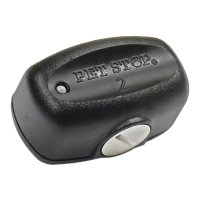
The Universal Remote Training System can accomodate up to two dogs. To add a second
remote Receiver after you have successfully programmed DOG 1, use the following
steps:
1. Press Toggle button until Dog 2 LED is blinking red then,
2. Press and hold Toggle button until Dog 2 LED is solid green
Programming a Replacement Receiver
In the event that one of the remote Receivers is damaged or lost, the replacement
Receiver will need to be reprogrammed to the Handheld Remote.
1. Hold the Handheld within 5 ft. of the new remote Receiver
2. Make sure Dog 1 LED is blinking red
3. Press and hold Toggle button until Dog 1 LED is solid green



 To Next Page