18
To attract your pet’s attention and
be aware of when someone connects
to your Petcube in accordance with
your sharing settings, at the start
of every call your Petcube will play
a sound alert.
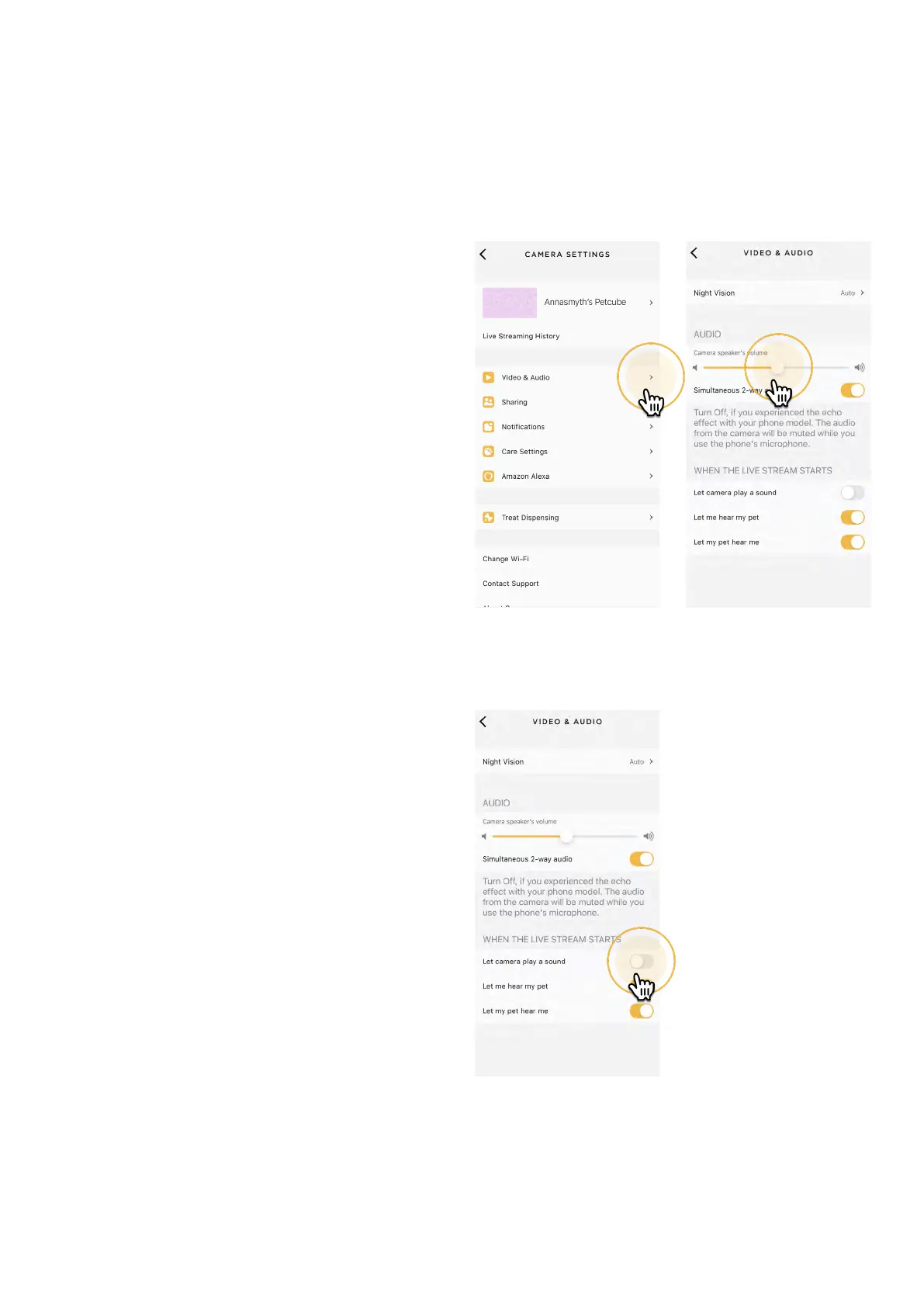
To disable the sound alert:
1. Open the Petcube app;
2. Go to the camera profile, tap
the ‘Settings’ wheel in the upper
right corner if you use Android
or tap the ‘Play’ icon if you use iOS;
3. Tap the ‘Settings’ wheel
in the upper right corner;
4. Go to Video & Audio settings;
5. Switch the ‘Let camera play
a sound’ to Off (fig 4.13.1).
Fig. 4.13.1
13. Sound alert at the start of a call
Fig. 4.12.3 Fig. 4.12.4



 To Next Page