21
12. Using Push-To-Talk or Two-way Audio
Petcube comes with 2 ways of audio
interaction: default simultaneous
2-way audio and optional ‘push-to-talk’
feature that works much like a walkie-
talkie.
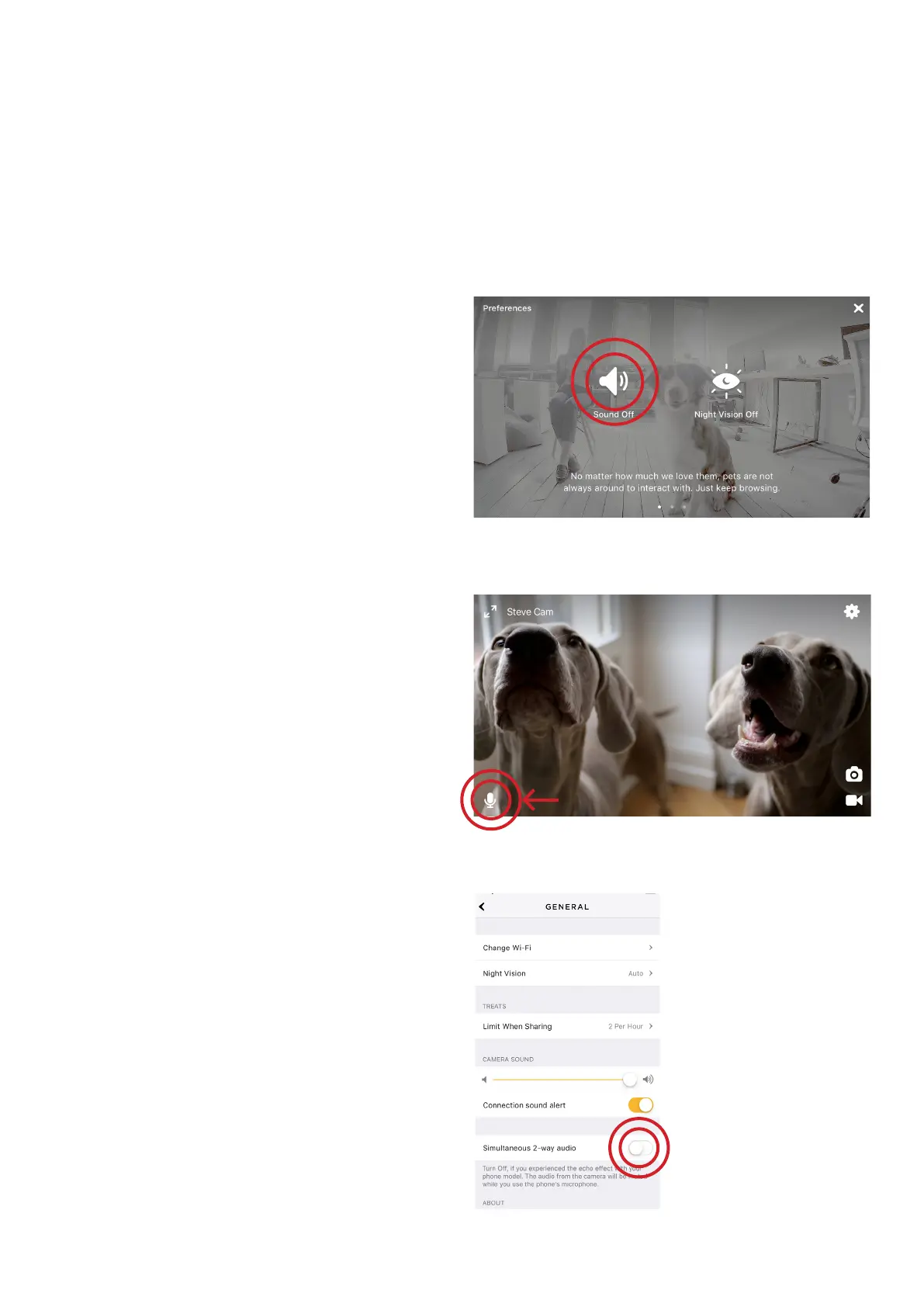
To start talking and listening, first,
make sure the sound is activated
in Settings at the top right, then simply
tap the mic icon in the bottom left
corner (fig 4.12.2).
To switch to push-to-talk audio:
1. Open the Petcube app
2. Go to the camera profile, tap
the ‘Settings’ wheel in the upper
right corner if you use Android
or tap the ‘Play’ icon if you use iOS
3. Tap the ‘Settings’ wheel in the upper
right corner
4. Select ‘General’ and disable
the ‘Simultaneous 2-way audio’
(fig 4.12.3)
Fig. 4.12.1
Fig. 4.11.2
Fig. 4.12.3



 To Next Page