27
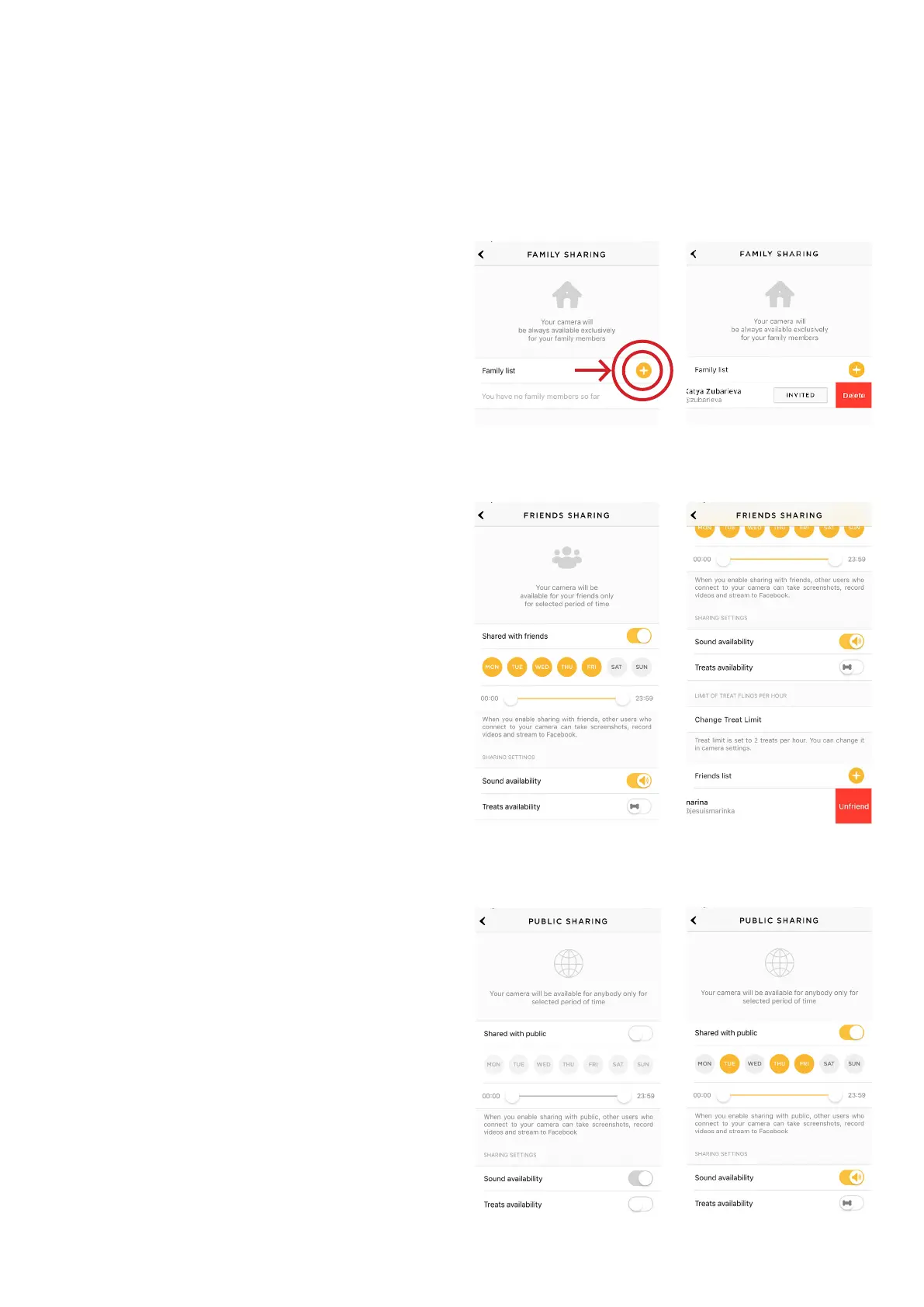
To delete a user from your ‘Family’
or ‘Friends’ list:
1. Go to ‘Sharing’ settings again
2. Find their username and swipe it left
to ‘Delete’ or ‘Unfriend’ (fig 4.16.10
and 4.16.12)
You can also share your Petcube with
any Petcube app user by choosing
the ‘Public’ sharing option (fig 4.16.13)
where you can configure access
to treats, sound controls and schedule
sharing time according to your needs
(fig 4.16.14).
Fig. 4.16.9 Fig. 4.16.10
Fig. 4.16.11
Fig. 4.16.12
Fig. 4.16.13 Fig. 4.16.14



 To Next Page