36
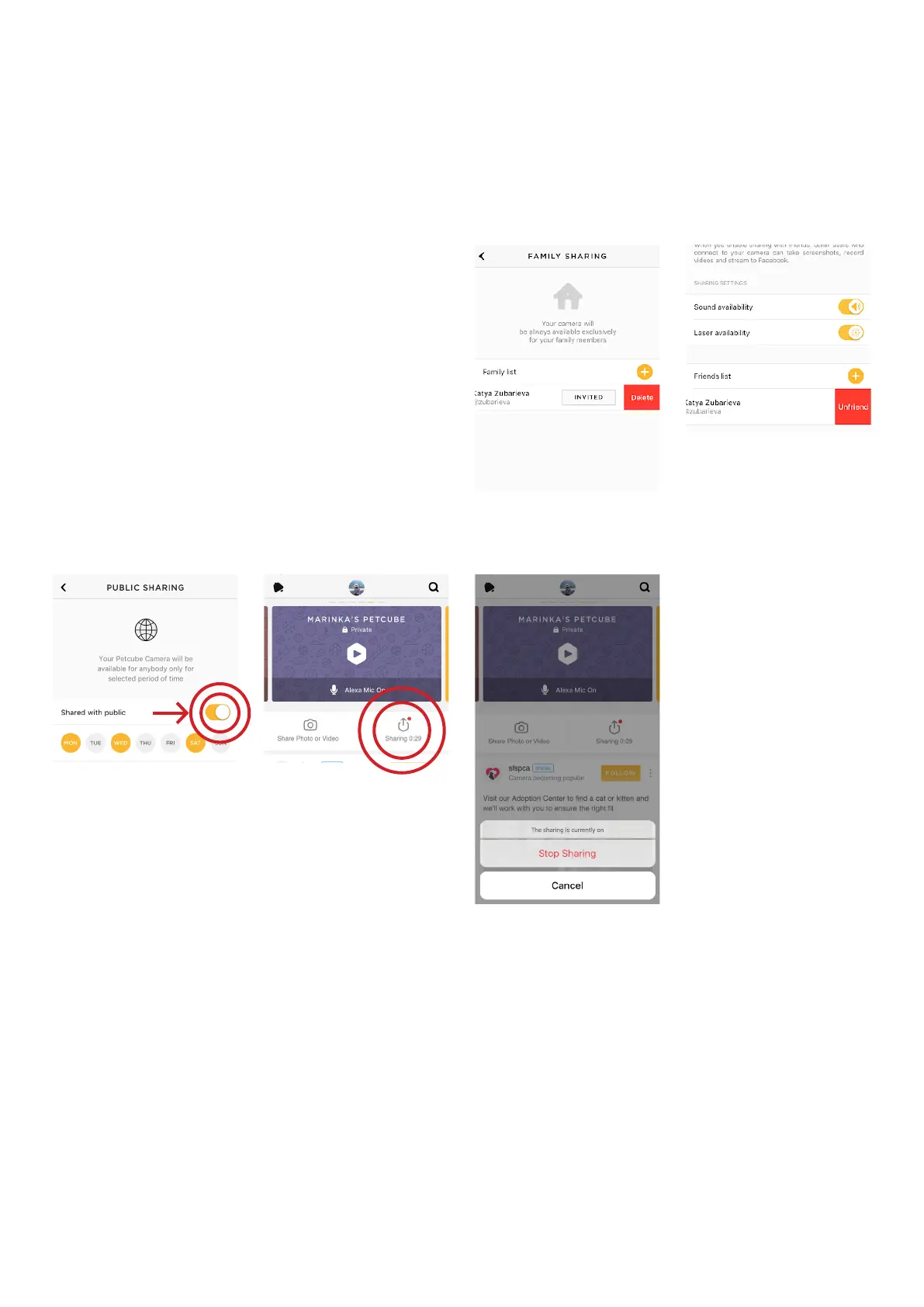
To stop public sharing, switch off
the ‘Shared with public’ option
(fig 4.25.8).
To disable the temporary sharing
(iOS only), go to camera profile, tap
‘Sharing’ in the center-right (fig 4.24.9)
and select ‘Stop Sharing’ in the dialog
menu (fig 4.25.10).
Fig. 4.25.5
Fig. 4.25.6
Fig. 4.25.7
Fig. 4.25.8
Fig. 4.25.9



 To Next Page