Operating the Engine Operating Instructions
– 62 –
PB1318 3/01 Model 330
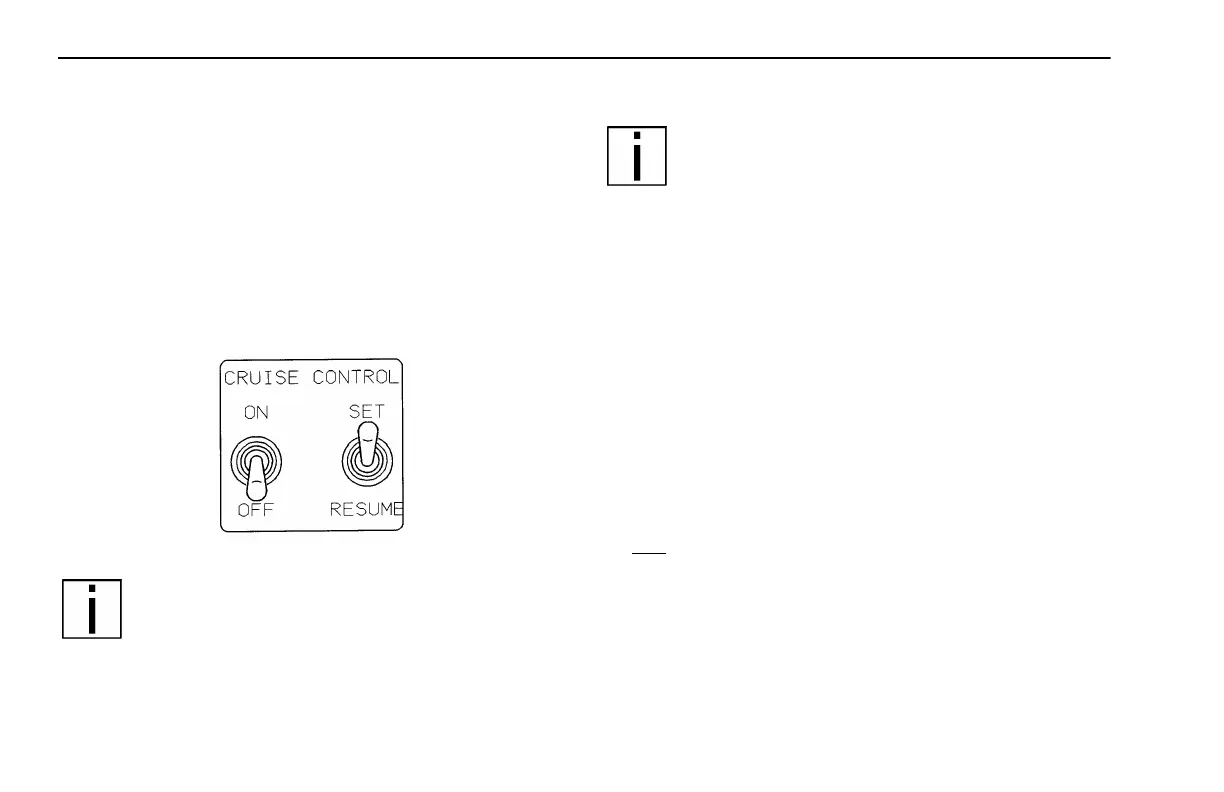
Cruise Control (Option)
This feature improves fuel mileage and reduces driver
fatigue by maintaining a constant vehicle speed. The
cruise control will only operate above a programmed min-
imum vehicle speed, 15 mph for the CAT 3126B engine,
30 mph for the Cummins ISC engine.
Engaging the Cruise Control
NOTE: Ensure that the vehicle speed is above the
minimum cruise control speed and the engine
speed is above 1100 rpm.
1. Move the ON/OFF switch to the ON position.
NOTE: Toggling the SET/RESUME switch to the
RESUME position at this point will select the previ-
ously set cruise speed.
2.Accelerate the vehicle to the desired cruise
speed.
3. Toggle the SET/RESUME switch lever to the SET posi-
tion to set the cruise speed.
•To decrease the cruise set speed, hold the SET/
RESUME switch in the SET position and coast to a lower
speed.
•To increase the cruise set speed, hold the SET/
RESUME switch in the RESUME position; this will accel-
erate the vehicle to a higher speed.
Disengaging the Cruise Control
Do one of these steps to disengage the cruise control:
• Move the ON/OFF switch to the OFF position.
or
• Depress the brake pedal.
or
• Depress the clutch pedal.
02901



 To Next Page