TouchScreens
Cameras(Optional)
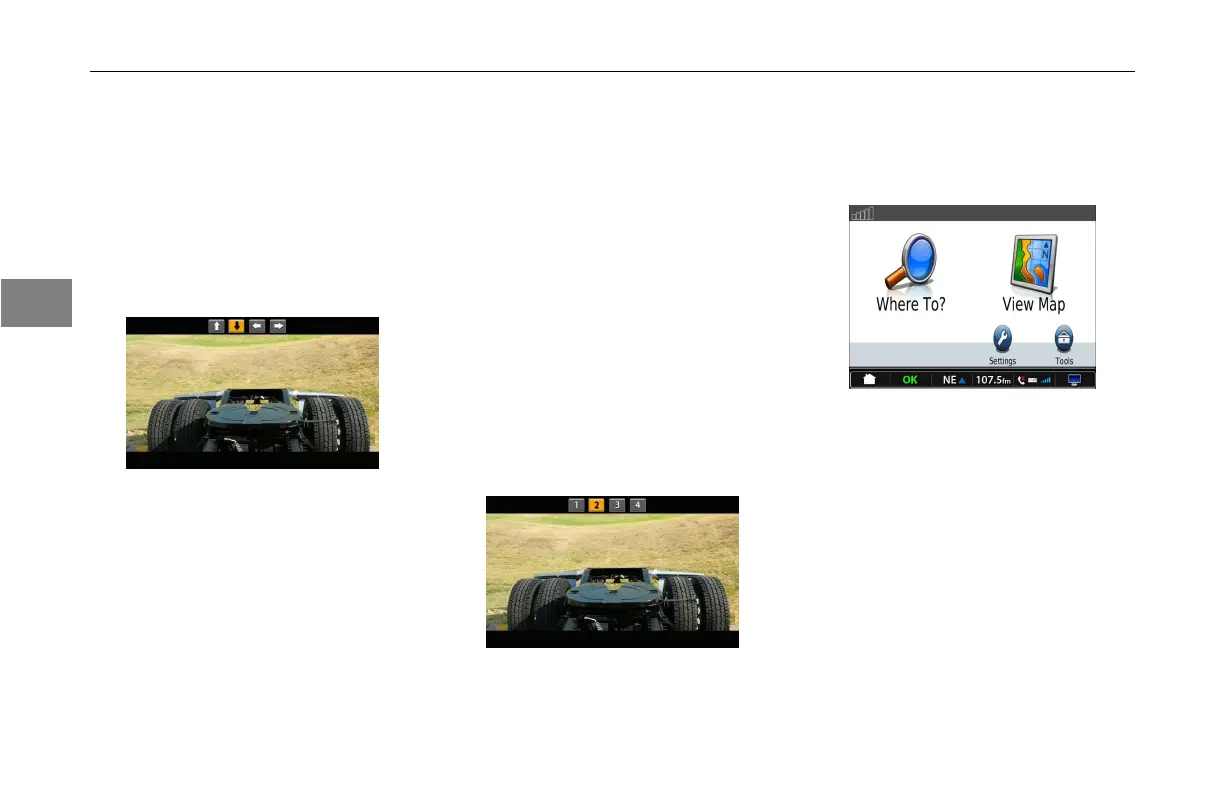
Camerascanbeviewedinthe
automaticandmanualmodes.
Intheautomaticmode,thecameras
areidentiedbythearrowkeys.The
arrowkeysindicatethedirectionthe
operatorisseeing.
AutomaticCameraMode
Wheninautomaticmodeandinthe
camerascreen,thecamerasviewsare
asfollows:
•DownArrow–Reverse.Activated
whenshiftedintoreverse
•UpArrow–Forward.Activated
whenuparrowonscreenis
pressed.
•RightArrow–RightSide.
Activatedbyrightturnsignal.
•LeftArrow–LeftSide.Activated
byleftturnsignal.
Inthemanualmode,thecameras
areidentiedbynumbers.Pressthe
numbericons1-4atthetopofthe
screentoviewthatcamera.Howthe
cameraswereinstalledwilldetermine
whichnumbercorrespondswiththe
cameraview.
ManualCameraMode
Navigation
PresstheNavigationbuttononthe
screen.ThiswillbringupGPSscreen.
Garmin®GPSScreen
Followtheinstructionsfromthe
suppliedGPSmanualonhowtouse
theGPSsystem.
3-10
3



 To Next Page