TouchScreens
Thescreenfunctionssimilarlytothe
CDscreen.Thescreenonlydisplays
informationwhenaBluetooth®
capableaudiodevicehasbeenpaired
tothePACCARDisplay.
NOTE
Notallphoneswillbeabletouti-
lizethisfunctionality.Pleasecontact
yourauthorizeddealershiptond
outifyourphoneiscompatiblewith
thisfunction.
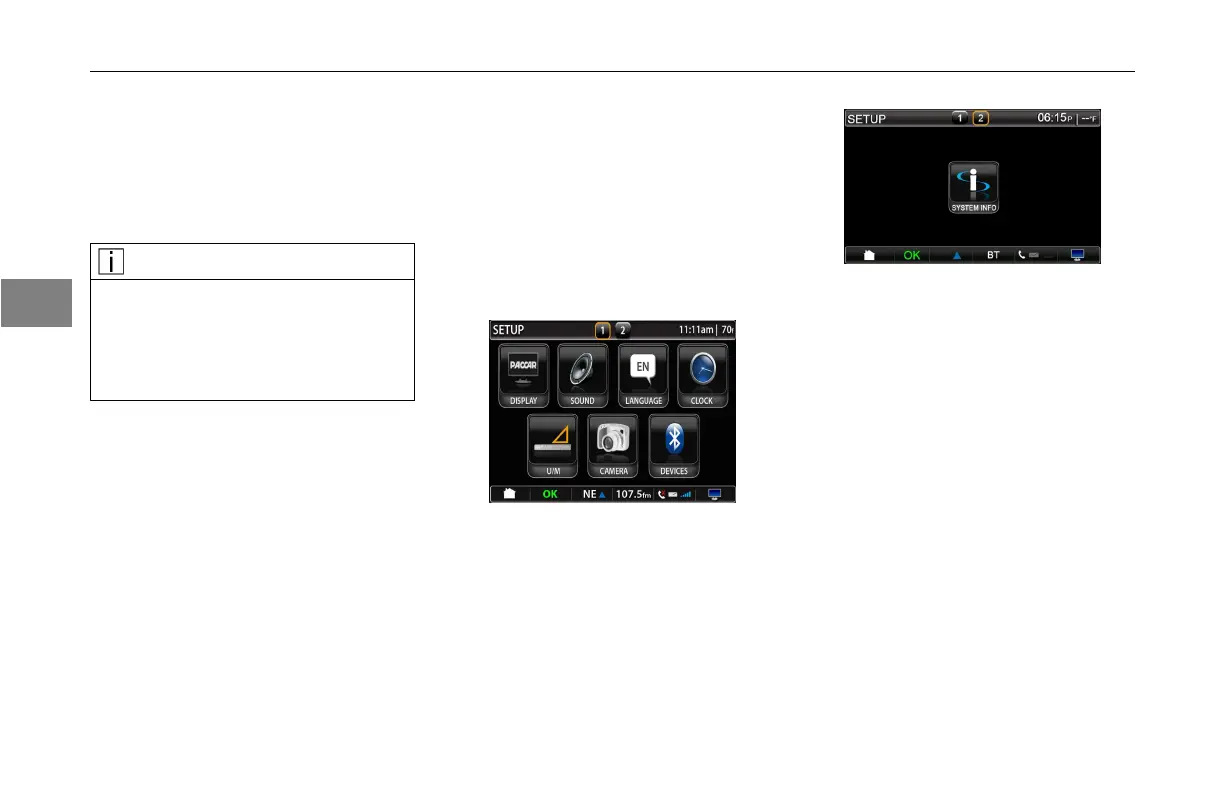
ChangingPersonalSettings
Setup
TheSetupscreenallowstheuser
tomodifytheproductsettingsofthe
PACCARDisplay.Therearetwo
setupscreens.Usethescreenpages
numbersonthetitlebartoscroll
throughthescreens.
FirstSetupScreen
SecondSetupScreen
Display
Pressthedisplayicon.Thedisplay
setupscreenwillappear.
Withinthedisplaysettingsthescreen
canbeturnedoff,canbesettoadjust
fordaytimeornighttimedisplaymode
andcanbeadjustedforbrightness.
Turningthescreenoffwillnotturnoff
theunitfunctionality.Thescreenwill
lightuptoalerttheoperatorofany
warningmessagesorincomingphone
calls.Thescreencanbeturnedback
onbysimplytouchinganywhereon
thescreen.
3-22
3



 To Next Page