TouchScreens
Sound
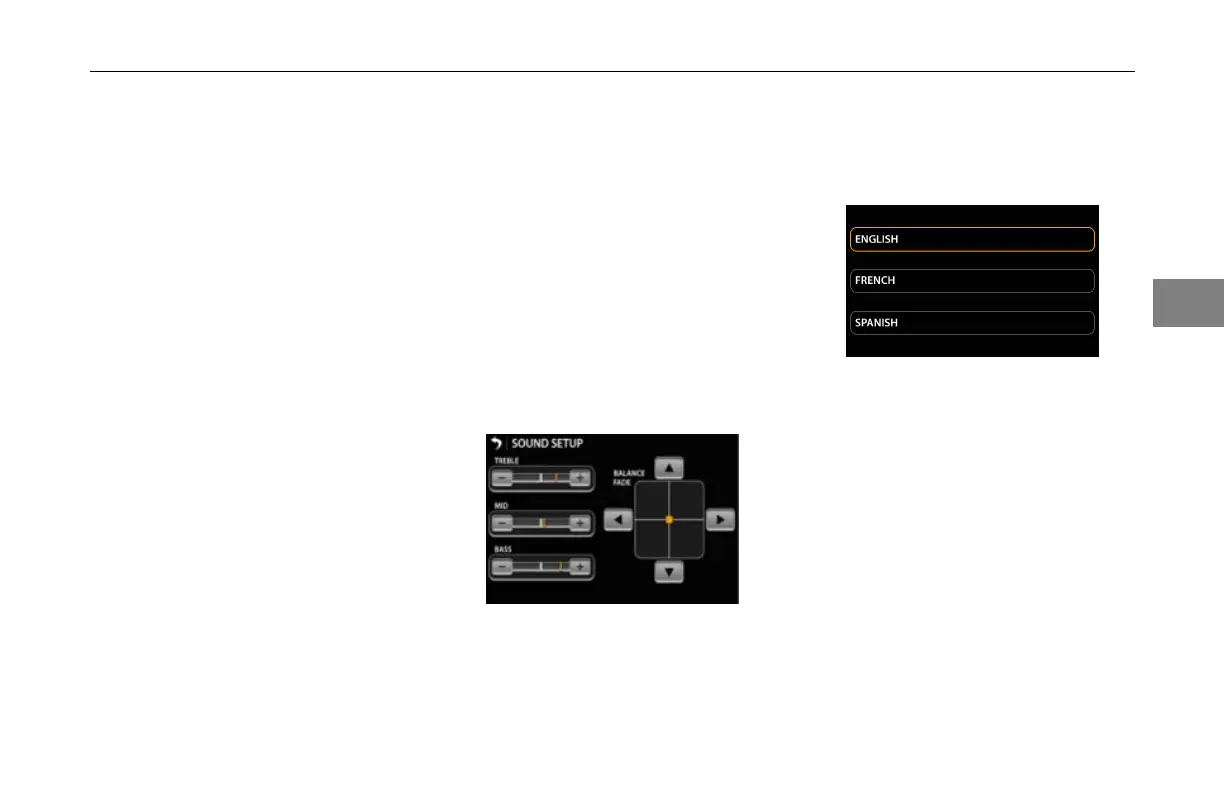
Pressthesoundicon.TheAudio
Setupscreenwillappear.
Thesoundsetupscreenallowsthe
usertoadjusttheaudiosettingsofthe
headunit.Thesettingsare:
Treble–Defaultisthemedianvalue.
Presstheplus(+)buttontoincrease
thetrebleandtheminus(–)buttonto
decreasethetreble.
Mid–Defaultisthemedianvalue.
Presstheplus(+)buttontoincrease
themidrangeandtheminus(-)button
todecreasethemidrange.
Bass–Defaultisthemedianvalue
Presstheplus(+)buttontoincrease
thebassandtheminus(-)buttonto
decreasethebass.
BalanceFadebuttonsallowtheuser
toadjustthebalanceandfadeofthe
systemwhilealsogettingavisual
feedbackonthe“center”oftheaudio
image.Pressingthedownarrow
sendsthesoundtowardstherearof
thevehicleandpressinguparrow
sendsthesoundtowardsthefrontof
thevehicle.
Pressingtheleftarrowsendsthe
soundtowardsthelefthandsideofthe
vehicle(NorthAmericandriver’sside)
andpressingtherightarrowsends
thesoundtowardstherighthand
sideofthevehicle(NorthAmerican
passenger’sside).
SoundSetupScreen
Language
Pressthelanguageicon.Thisscreen
willappear:
LanguageSetupScreen
Thelanguagesetupscreenallowsthe
usertochangethesystemlanguage.
Thelanguagesettingthatiscurrently
activewillhavethehaloilluminated
inamber.Thenon-activesettingswill
haveadefaultgrayhalo.
Clock
Pressingtheclockiconwillletthe
operatoradjustthesystemtime.
3-23
3



 To Next Page