TouchScreens
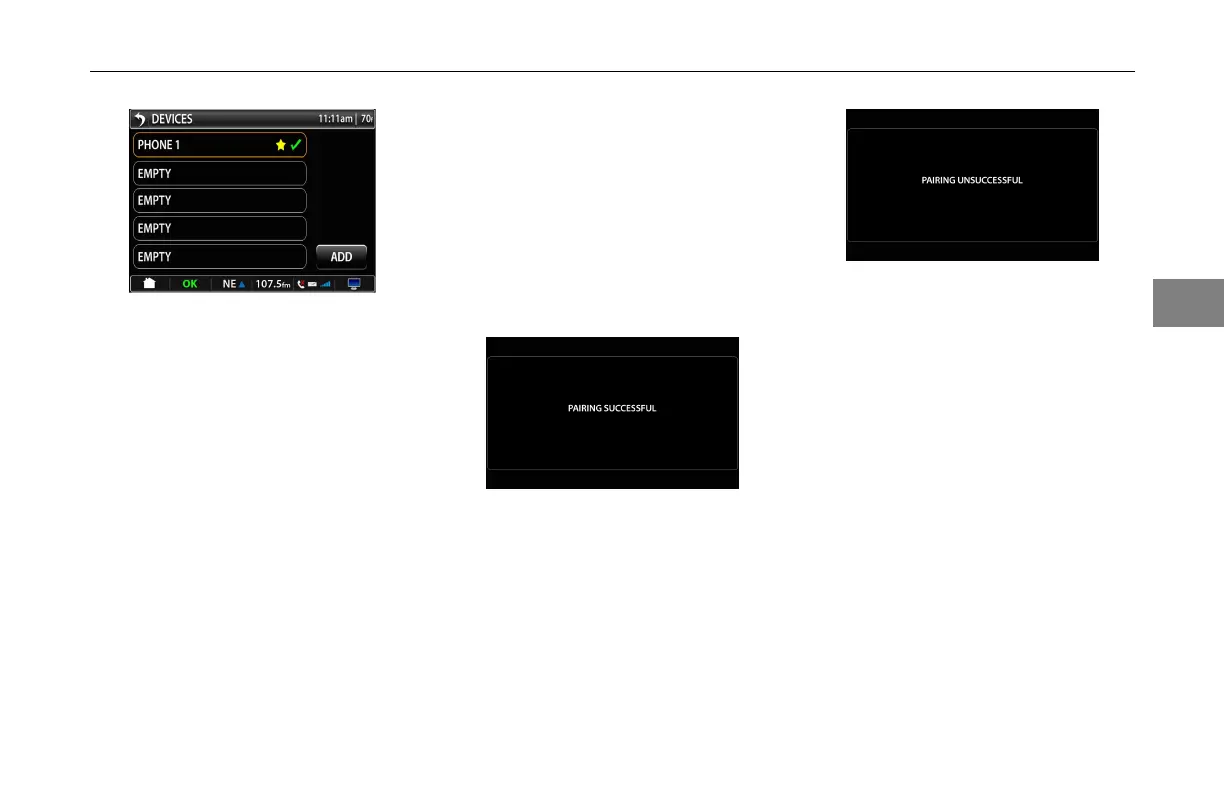
Bluetooth®MainScreen
Thefavoritedeviceisindicatedwith
theyellowstar.Theconnecteddevice
isindicatedwithagreencheckmark.
Thedevicethatisselectedasafavorite
willautomaticallypairwhenthedevice
comesintorangeandthedevicehas
Bluetooth®turnedon.Onlyonedevice
maybeselectedasafavorite.Devices
thatarenotselectedasafavoritemust
bemanuallypairedtothesystem.The
boxesthathavephonespairedtothem
willhaveanamberhalo.Allempty
boxeswillhavethedefaultgrayhalo.
PairingaBluetooth®Device
PresstheAddbuttonfromthe
Bluetooth®mainscreen.
Followtheinstructionsonthescreen
andselectSmartNavasthedevice.
Ifpairingthedevicewassuccessful
youwillseethisscreen:
PairingSuccessfulNotication
Oncethetargetdeviceispaired,itwill
taketheuserbacktotheBluetooth®
mainscreen.
Ifthepairingisunsuccessfulyouwill
seethisscreen:
PairingUnsuccessfulNotication
Ifthetargetdevicefailstopair,itwill
taketheuserbacktotheBluetooth®
mainscreen.Trytopairthedevice
again.Pleasecontactyourauthorized
dealerservicecenterifyouhave
problemspairingthephonetothe
device.Forcertainphones,thedisplay
unitmaynotbecompatiblewithyour
phone.
Options
Toviewthephoneproperties,clickon
thephoneyouwanttoview.
3-25
3



 To Next Page