Device
电量:100%
0h 8h 16h 24h
小佩智能猫牌
进食次数
5
下次出粮时间:19:30
智能双子星喂食
器
0h 8h 16h 24h
9:41
Hello, PETKIT
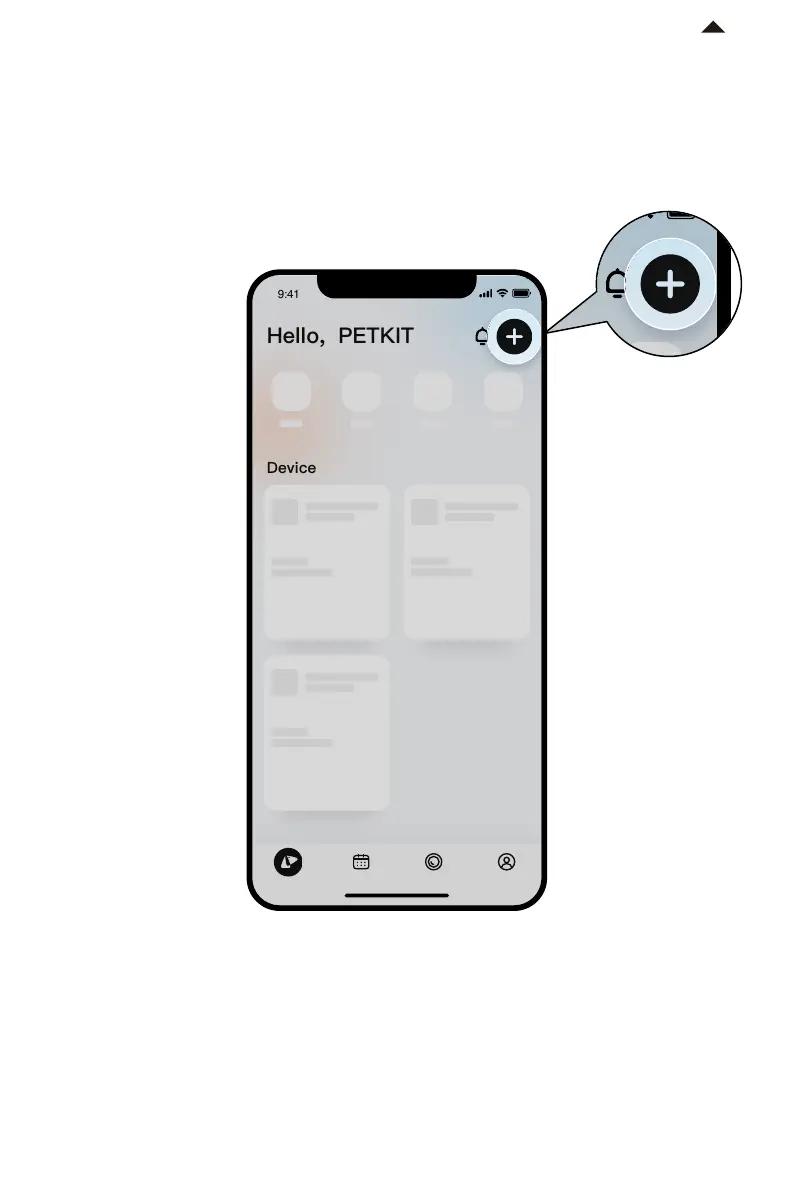
3. Add Device
① Download the PETKIT App and enter the home page
② Click “+” located in the top right corner of the page
③ Select "PETKIT AIRSALON MAX”
-6-
Device
电量:100%
0h 8h 16h 24h
小佩智能猫牌
进食次数
5
下次出粮时间:19:30
智能双子星喂食
器
0h 8h 16h 24h
9:41
Hello, PETKIT
*Note: In order to provide better products, we will
regularly update and improve the App.
If there are dierences with APP pictures,
please refer to the actual product.
RETURN TO
CONTENT




 To Next Page