10
Using the App
Connect the App
Download the PETKIT App and complete your registration via the App. Go to the App’s main
page and follow the instructions to add the Petkit Smart Feeder SOLO and connect your
device.
Scan the QR code to download the PETKIT App
Use the App to remotely control food dispensing
Using the App, you can set a feeding schedule. The pet feeder will automatically dispense
food each day based on your setting. When your pet has eaten, you will receive a notification.
This can help you better control when your pet eats and how much they eat each time.
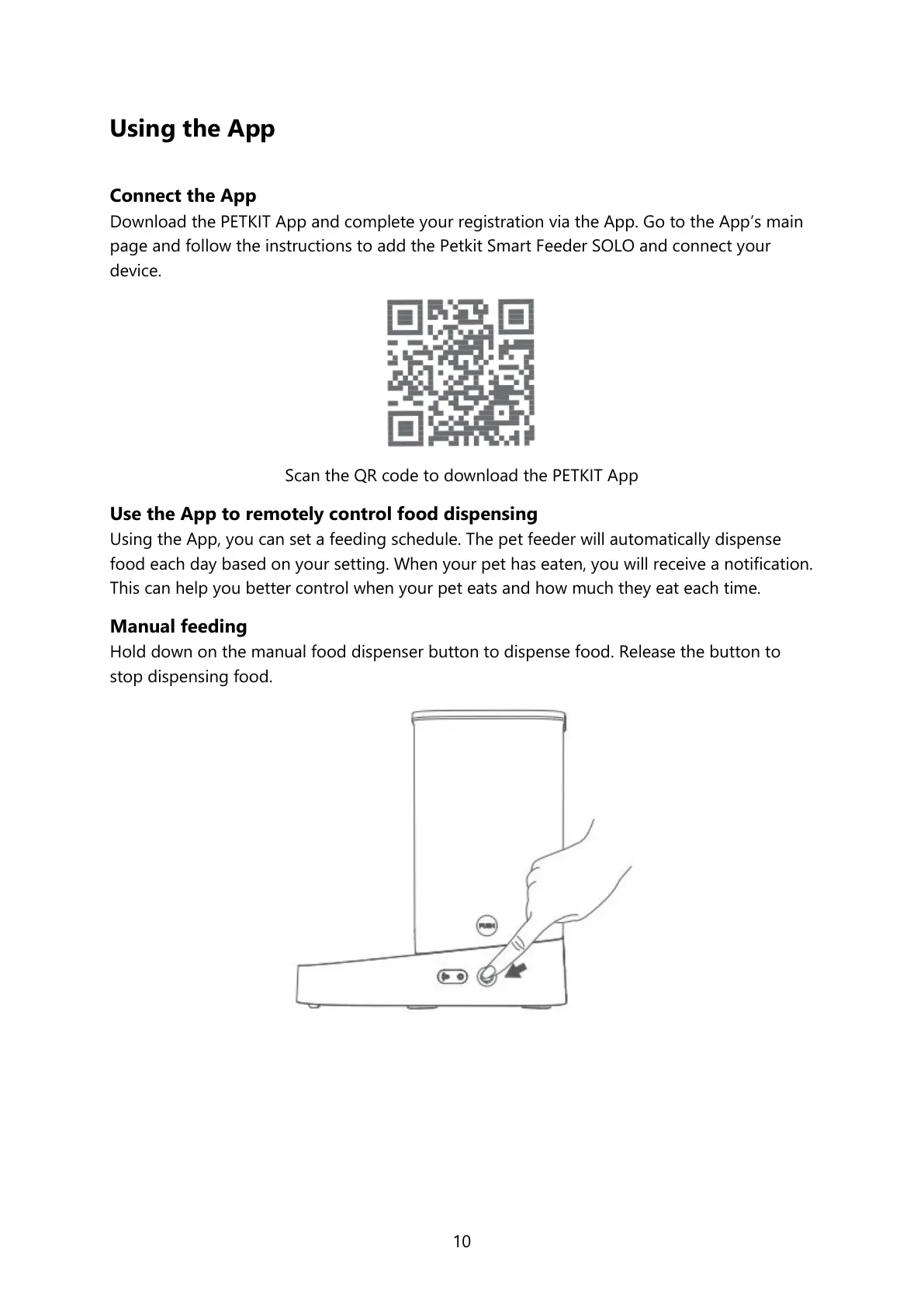
Manual feeding
Hold down on the manual food dispenser button to dispense food. Release the button to
stop dispensing food.




 To Next Page