6
Controls and Indicators
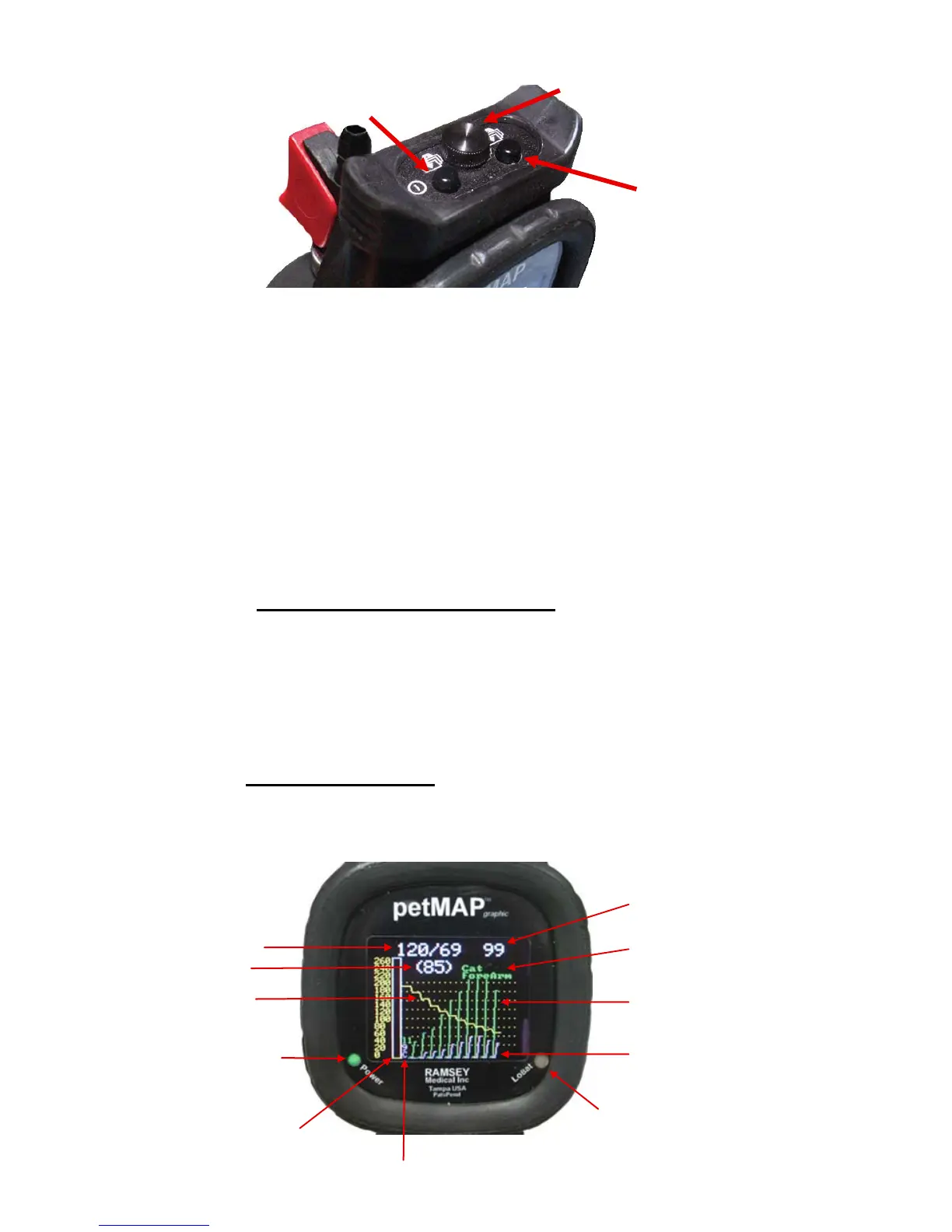
Power/Page Button: Button has three functions:
1) Turns the device On.
2) Once on, changes screen views from the measurement page
to the graphic results page to the tabular results page.
3) Pressing and holding the Power/Page button for 4 seconds will
turn petMAP Off. This is also possible by pressing both the
Power/Page and Multi Function buttons simultaneously.
Multi-Function Button:
1) Species and Cuff Site selection:
Repeated quick presses and releases incrementally
selects species (Cat or Dog) and cuff sites: forearm, hind foot,
or tail. A setting for “none” is also available. Always setup for
the appropriate species and site before measuring and
recording the BP.
2) Changing Display Brightness:
Pressing and holding down the Multi- Function button
adjusts the brightness of the display.
Power/Page
Multi-Function
Battery Change Screw
Systolic/Diastolic
(MAP)
Cuff pressure
(yellow)
Power ON
LED
Cuff pressure scale
& manometer
(Determination descriptor codes - used by remote support)
Low battery LED
(red)
Low gain channel
(magenta)
High gain channel
(Green)
Species & cuff
site optimization
Heart rate



 To Next Page