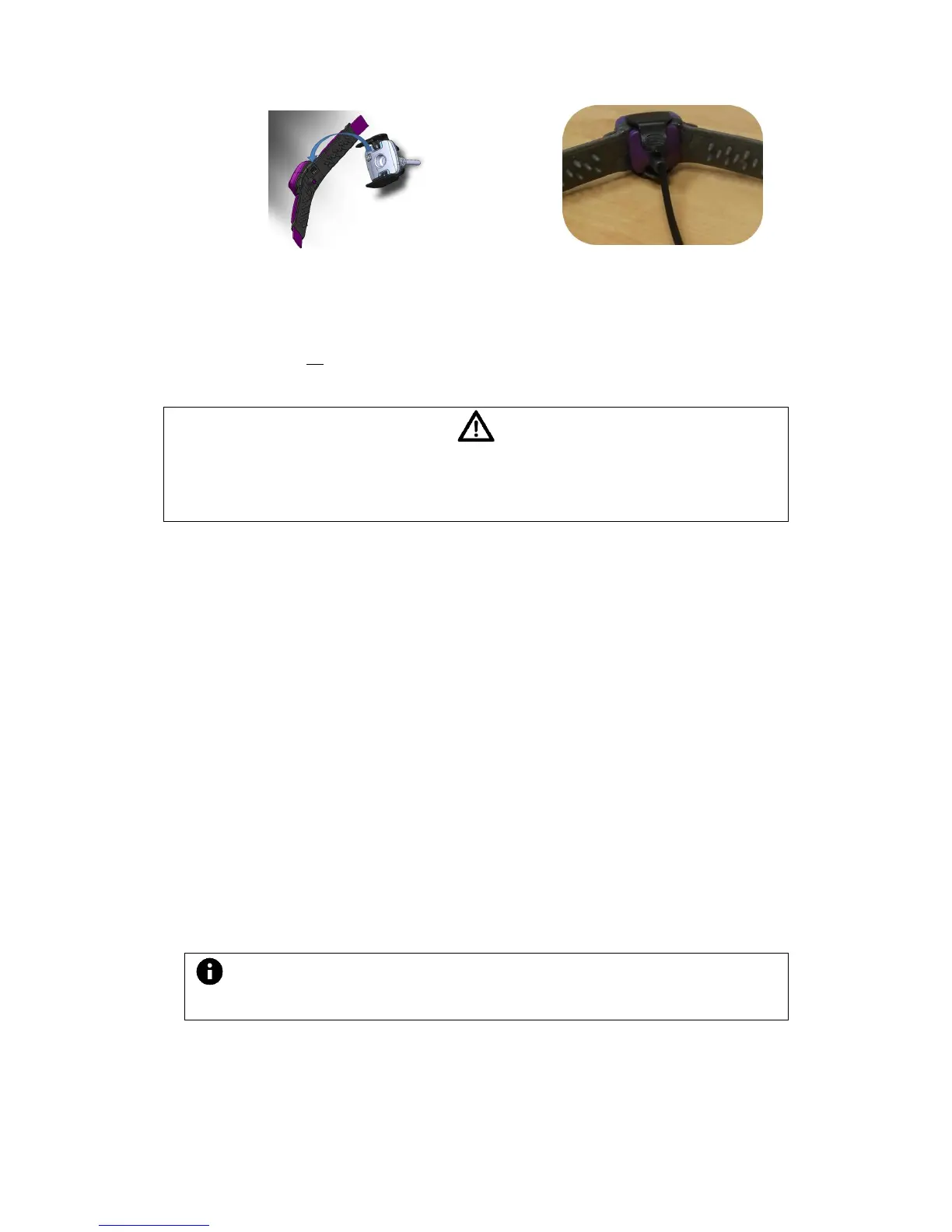
3. During charging the Collar LED light will illuminate continuously in orange.
4. Once charging is complete, the Collar LED light will illuminate continuously in
green.
5. Note: the Collar is automatically turned ON when removed from the charger.
There is no need to manually turn it on. The Collar will blink twice in green once
removed from the charger to indicate that it starts operating.
Do NOT attempt to charge the collar while it's placed on your pet
Ne pas charger le collier alors qu'il est placé sur votre animal de compagnie
5. Working with the collar
1. Turn on the PetPace Collar by pressing the On/Off Button until you see 2 green
blinks on the collar’s LED light (see picture in Appendix chapter 7.1.2).
2. Place the Collar on the pet’s neck making sure that:
a. The rectangle electronics box is on the front of the neck (ventral midline)
and the buckle sits on the back of the neck (dorsal midline).
b. The arrow on the buckle points forward to the pet's nose
3. The free ends of the straps should be pulled evenly until the Collar lies snugly
against the skin (two fingers rule).
4. The Collar will automatically set-up communication with the Gateway. Once the
communication is established the top orange LED light on the Gateway will turn
ON (see picture in Appendix chapter 7.1.1).
1. The top LED light on the Gateway will turn ON every time it actively receives
data from the Collar. Between data transmissions it remains in the OFF
position.
The LED light on the collar remains Off during normal operation to preserve battery
life.



 To Next Page