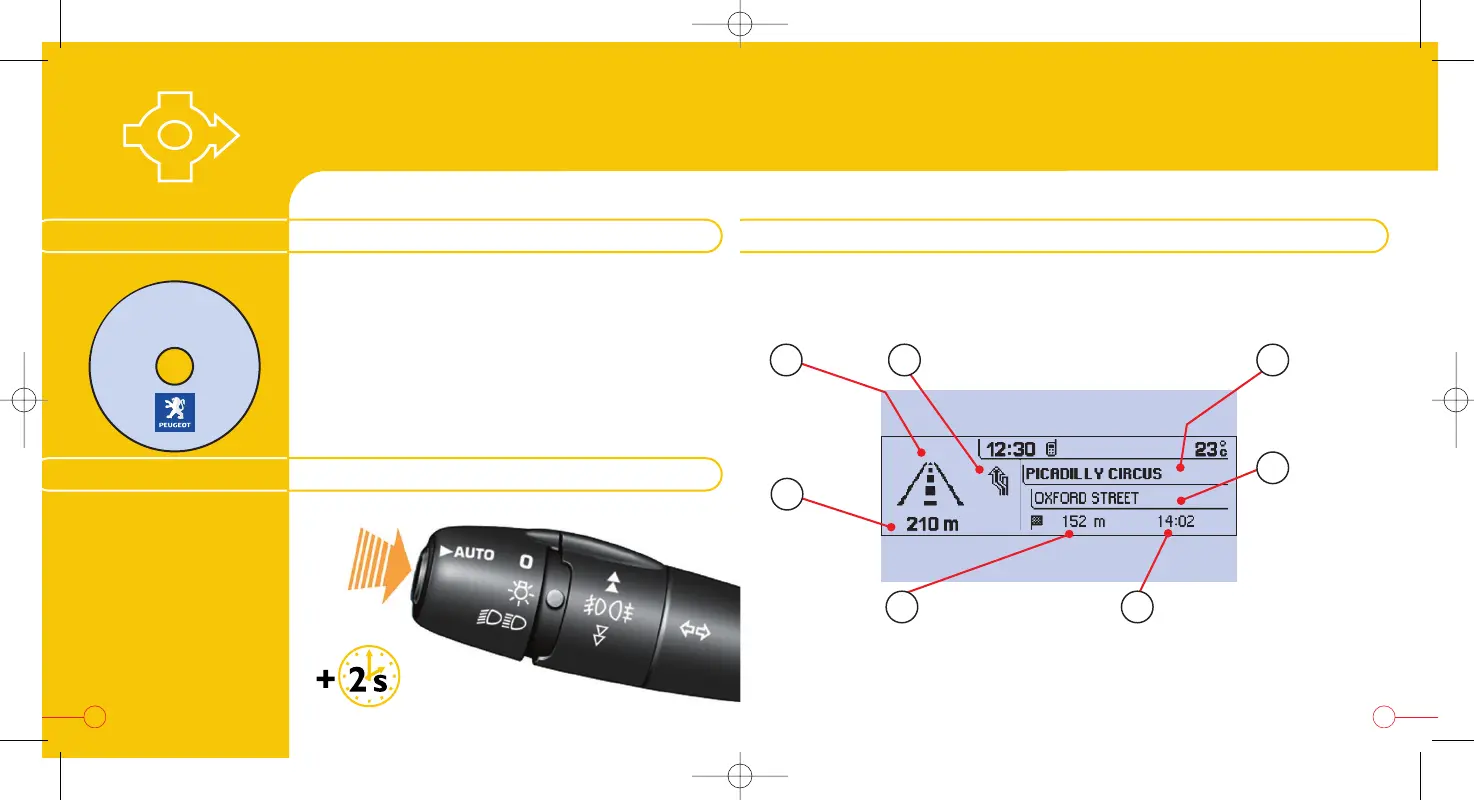
Pressing for more than
2 seconds enables you
to listen to the last
updated spoken
guidance message again.
GPS NAVIGATION
- GUIDANCE
This contains the map data.
You can obtain updates of the map data from
your PEUGEOT dealer.
Insert the navigation CD-ROM in the drive on the
front panel and leave it there to use the
Navigation-Guidance functions.
RECALLING THE SPOKEN MESSAGE
THE NAVIGATION CD-ROM THE "CURRENT GUIDANCE" SCREEN
NAVIGATION
CD-ROM
1716
Manoeuvre
to be carried
out or
compass
Next manoeuvre to be carried out
Next road to
be taken
Current road
Estimated time of arrival at
the destination
Distance to the
final destination
During guidance, press the "MODE" button several times in succession
until the screen displays the following information:
Depending on the position of the vehicle and the reception of the GPS
information, this information may disappear from the screen temporarily.
Distance to
the next
manoeuvre
56
7
4
21 3


 To Next Page