THE COLOUR SCREEN: MAP
SPECIAL EQUIPMENT
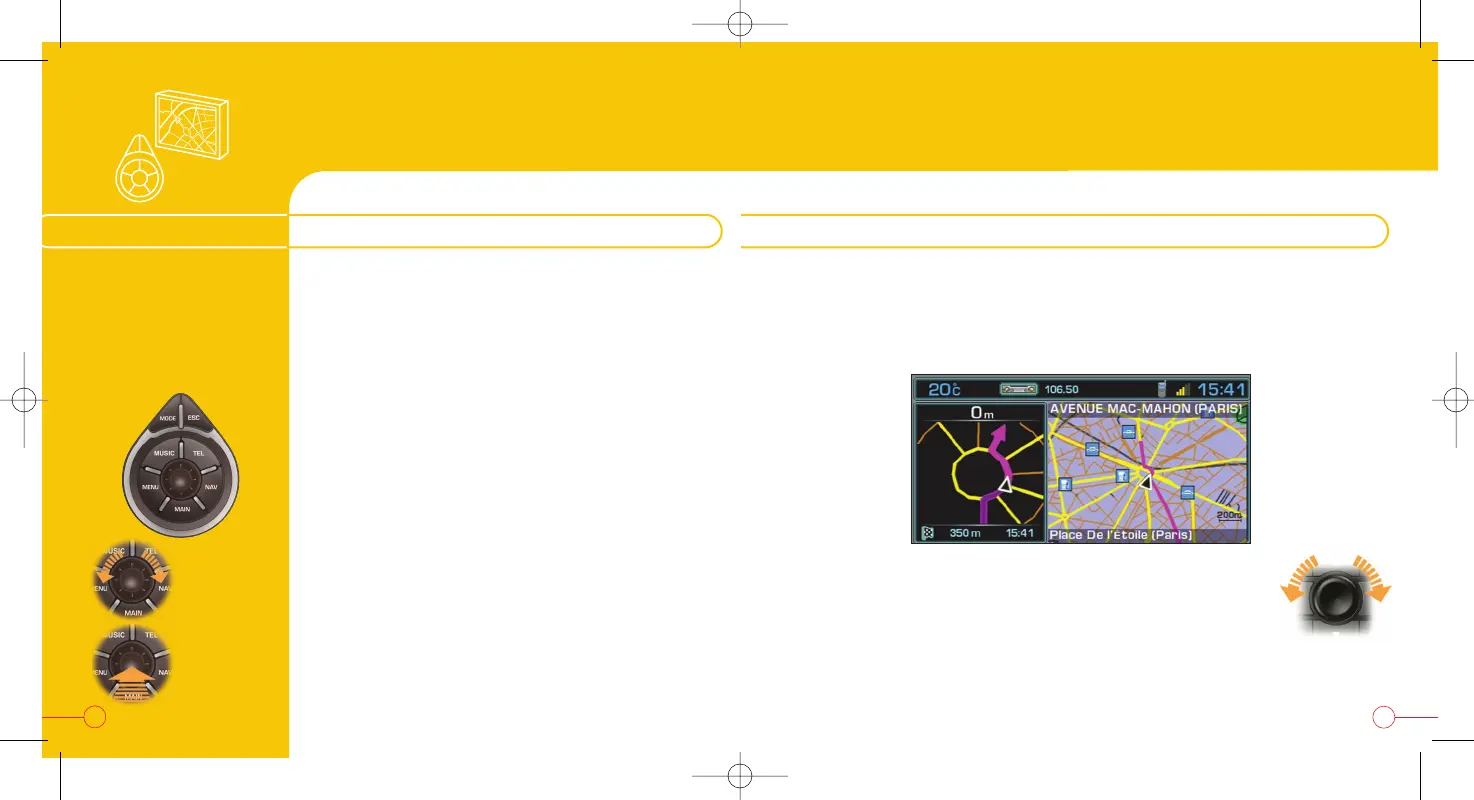
Located next to the
gear lever, this permits
selection and
confirmation of the
functions, commands
and parameters displayed.
The colour screen permits displaying of the vehicle on a geographical map
background.
When guidance on a map is activated, you can follow your vehicle on the fol-
lowing screen:
“MODE”
- Brief press: changing of the function displayed
- Press for more than 2 seconds: general information
“ESC”
- Brief press: cancellation of the current operation
- Press for more than 2 seconds: clearing of the
superimposed displays
“MENU”
- Brief press: main menu
- Press for more than 2 seconds: help menu
“MUSIC” :
- Brief press: displaying of the accessible menu of
the current audio source
“TEL” :
- Brief press: pick up an incoming call,Telephone menu
“NAV”
- Brief press: displaying of the accessible menu of the
"Navigation-Guidance" function
“MAIN”
- Brief press: displaying of the general information
Selection
Confirmation
THE 807 ADDITIONAL CONTROL
33
You can also direct the map in relation to North or the vehicle, by pressing
the dial on the right and selecting "Map direction".
To enlarge or reduce the map, turn the dial on the right.
You can also use the spoken commands: "Zoom in" /
"Zoom out".
There are thirteen zoom levels from 50 m/cm to 200 km/cm.
Display: vehicle following on map
32


 To Next Page