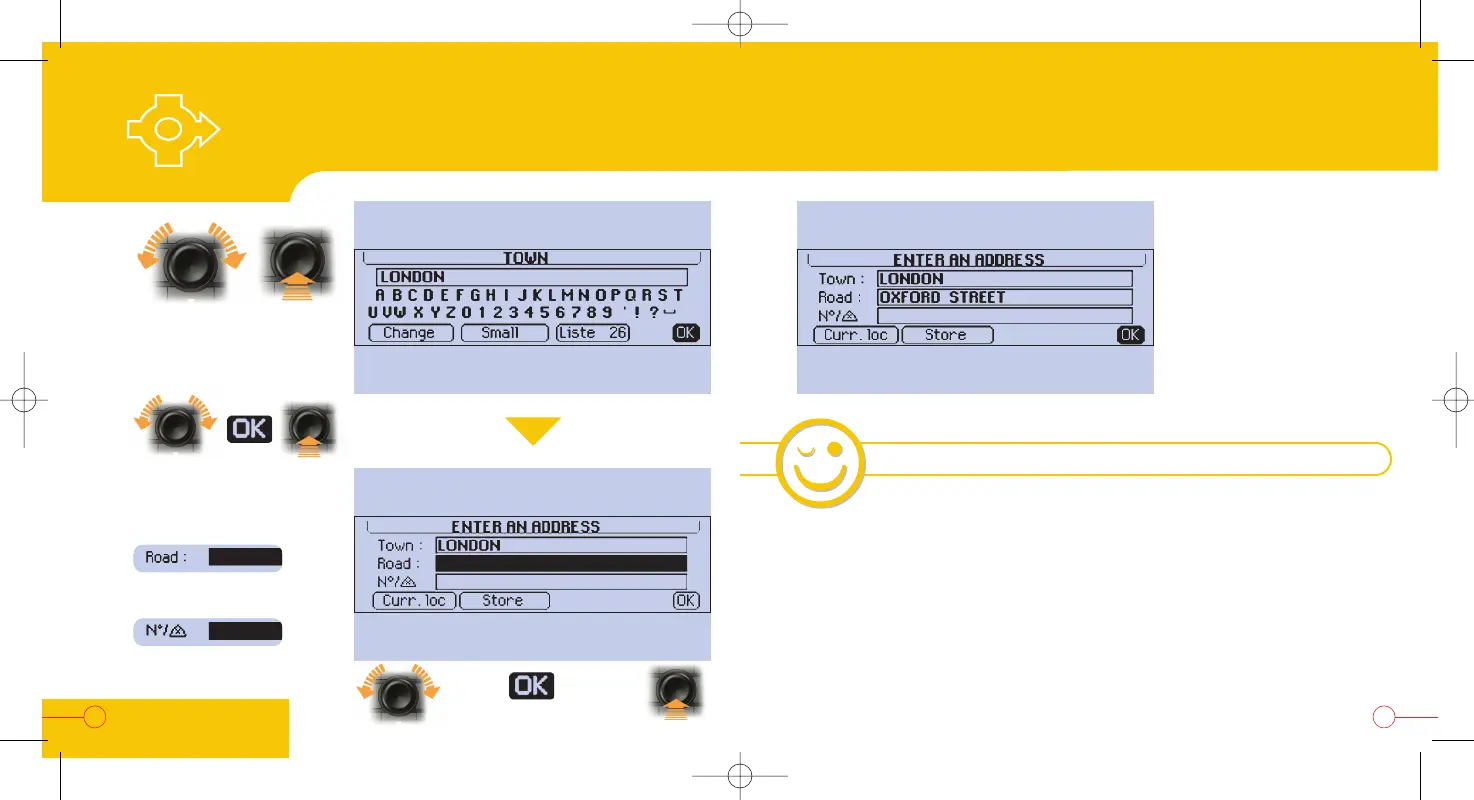
Your complete address is
entered.
If you wish to store the
address, do this before
activating guidance.
If you do not, press "OK",
guidance is now activated.
- If there is any doubt about the name of the destination (there are x towns, streets, n°),
select "List" and confirm the destination chosen from the possibilities displayed.
- To be guided to the town centre, simply enter the "Town" parameter only.
- To enter the street, it is not necessary to specify the type of street (avenue, road,
boulevard...); for example, for "avenue de la Grande Armée", simply enter "grande
armée" and select "avenue de la Grande Armée" from the list.
Letter
selection
Letter
confirmation
21
20
5
6
7
Repeat these operations
to enter
the "Street"
and the "N°" (optional)
To confirm the town
Entering a new
address and activating guidance
NAVIGATION-
GUIDANCE
HINTS AND TIPS


 To Next Page