EasyManua.ls Logo

Pfaff Creative 1473 - Page 142

Pfaff Creative 1473
180 pages
Print Icon
To Next Page IconTo Next Page
To Previous Page IconTo Previous Page
Loading...
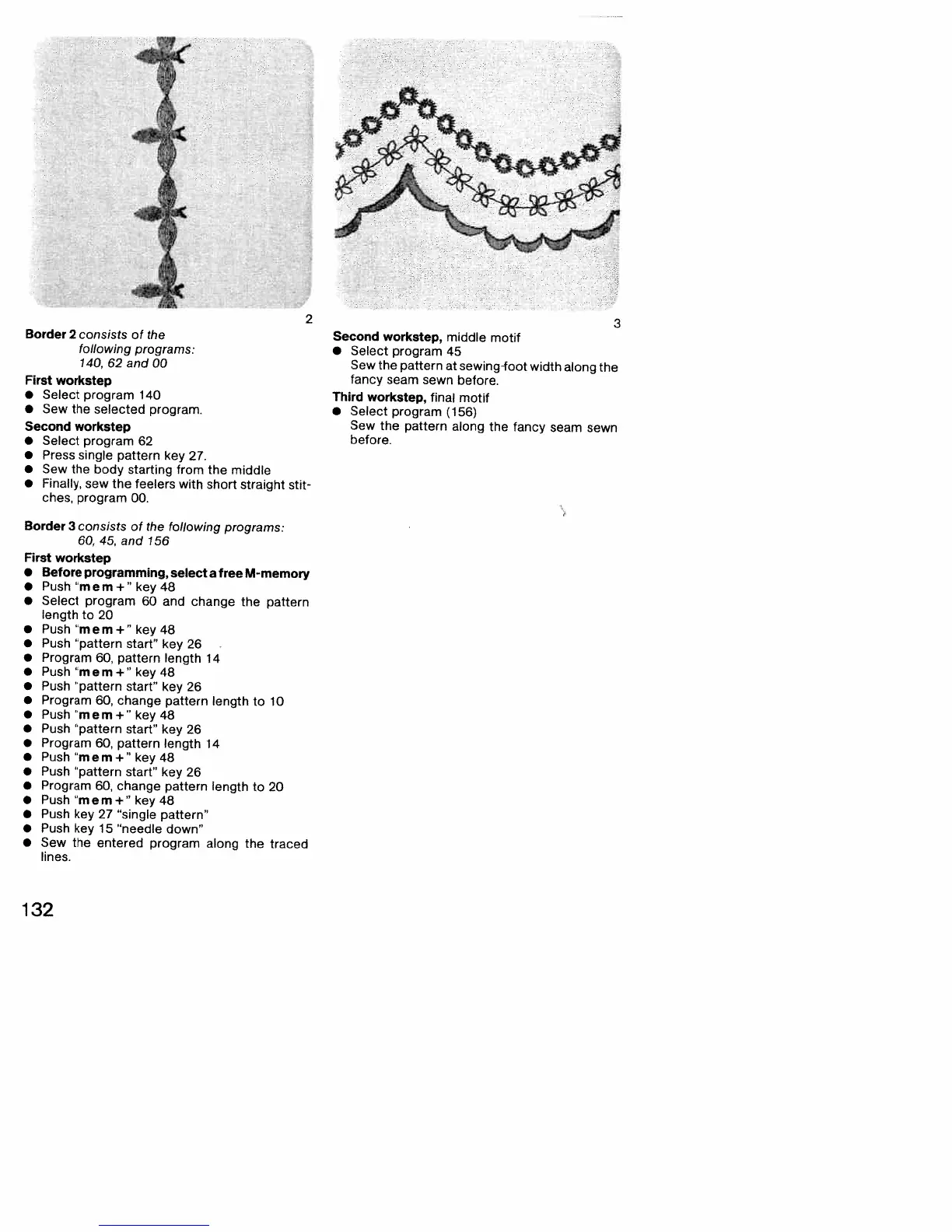
Border
2
consists
of
the
following
programs:
140,
62
and
00
First
workstep
•
Select
program
140
•
Sew
the
selected
program.
Second
workstep
•
Select
program
62
•
Press
single
pattern
key
27.
•
Sew
the
body
starting
from
the
middle
•
Finally,
sew
the
feelers
with
short
straight
stit
ches,
program
00.
Border
3
consists
of
the
following
programs:
60, 45,
and
156
First
workstep
•
Before
programming,
select
a
free
M-memory
•
Push
“mem+”
key
48
•
Select
program
60
and
change
the
pattern
length
to
20
•
Push
“mem+”
key48
•
Push
“pattern
start”
key
26
•
Program
60,
pattern
length
14
•
Push
“mem+”
key
48
•
Push
“pattern
start”
key
26
•
Program
60,
change
pattern
length
to
10
•
Push
“mem+”
key
48
•
Push
“pattern
start”
key
26
•
Program
60,
pattern
length
14
•
Push
“mem+”
key48
•
Push
“pattern
start”
key
26
•
Program
60,
change
pattern
length
to
20
•
Push
“mem+”
key48
•
Push
key
27
“single
pattern”
•
Push
key
15
“needle
down”
•
Sew
the
entered
program
along
the
traced
lines.
3
Second
workstep,
middle
motif
•
Select
program
45
Sew
the
pattern
at
sewing-foot
width
along
the
fancy
seam
sewn
before.
Third
workstep,
final
motif
•
Select
program
(156)
Sew
the
pattern
along
the
fancy
seam
sewn
before.
(
2
132

Table of Contents