Installation Support • Soporte de instalación • Support d’installation
Installation Videos Available
Videos de instalación a disposición
Vidéos d’installation disponibles
Personal Assistance, Product Specs, &
“How-to” Questions:
Asistencia personal, especificaciones del
producto y preguntas sobre “cómo hacerlo”:
Aide personnelle, spécifications du produit
et questions « pratico-pratiques » :
pisterfaucets.com/videos
511990200
Jul 27, 2018
1800PFAUCET (7328238)
pisterfaucets.com/support
Required Tools
Herramientas necesarias
Outils nécessaires
Additional Helpful Tools
Otras herramientas útiles
Outils supplémentaires utiles
1
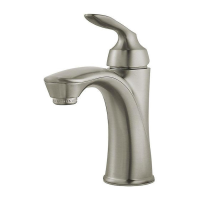
Single Control Faucet
Grifo de solo control
Robinet de commande simple
Parts in the Box
Piezas en la caja
Pièces dans la boîte
Copyright © 2018, Pister Inc.
Safety Goggles
Anteojos de seguridad
Lunettes de sûreté
Adjustable Wrenches
Llaves ajustables
Clés â mollette
Flashlight
Linterna
Lampe De Poche
Cloth
Paño de limpieza
Chion
EC
H
G
F (x2)
Bucket
Balde
Seau
18003407608
pisterfaucets.ca
Quick Installation Guide
Guía de instalación rápida
Guide d’installation rapide
LG42DAP
Deckard
™
WARNING / ADVERTENCIA / AVERTISSEMENT
To reduce the risk of injury or property damage, read all instructions before installing product. Wear safety goggles. Product must be installed in
accordance with all state & local plumbing & building codes. Call a professional if you are uncertain about installing this product.
Para disminuir el riesgo de lesiones o daños a la propiedad, lea todas las instrucciones antes de instalar el producto. Utilice gafas de seguridad. El producto
deberá instalarse de acuerdo con la normativa de plomería y construcción estatal y local. Llame a un profesional si no está seguro sobre cómo instalar este
producto.
Pour réduire le risque de blessures ou de dommages, lire toutes les instructions avant d’installer le produit. Porter des lunettes de sécurité. Le produit doit
être installé en conformité avec tous les codes de construction et de plomberie locaux et de l'état. Appelez un professionnel si vous n’êtes pas certain de la
façon d’installer ce produit.
Locate water supply inlets and shut of the water supply valves. These are usually
found under the sink or near the water meter. If you are replacing an existing faucet,
remove the old faucet from the sink and clean the sink surface thoroughly.
Ubique las entradas del suministro de agua y cierre las válvulas de suministro de agua.
Generalmente se encuentran debajo del fregadero o cerca del medidor de agua. Si se trata de
un reemplazo de grifo, quite el grifo viejo y limpie completamente la supericie del fregadero.
Recherchez les entrées d'approvisionnement et fermer leurs robinets. Ces robinets se
trouvent généralement sous l'évier ou près du compteur d’eau. Si vous remplacez un robinet
existant, retirez, le vieux robinet de l'évier et nettoyer soigneusement la surface de ce dernier.
Turn O Water Supply • Cierre el suministro de agua • Couper l’alimentation en eau
Hot
Caliente
Chaud
Cold
Fría
Froid
1256806
A
DB
Aerator Tool
Herramienta
aireador
Outil d’aérateur
Optional Deck Plate (not
included) see page 3.
Placa de cubierta opcional
(no incluido), véase la
página 3.
Plaque de pont en option
(non inclus), voir page 3.

 Need help?
 General


 To Next Page