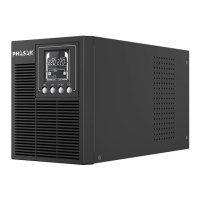
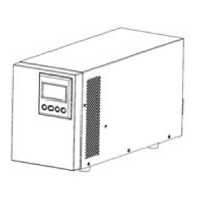
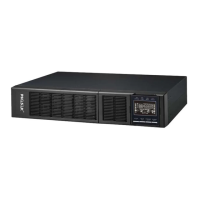
ON-LINE 1000VA / 2000VA / 3000VA
PH 9210 - PH 9220 - PH 9230 .
Power Management
Software
5.51x7.50x12.76in.
(140x190.6x324mm)
D×W×H = 15.37 x
5.95 x 8.86in.
(390×151×225 mm)
D×W×H = 16.23 x 7.72 x
13.47in.
(412×196×342 mm)/
D×W×H = 15.37 x 5.95 x 8.86in.
(390×151×225 mm)
*) Within 50/60Hz±8% by default, the output frequency is synchronization with input mains. User can adjust the
acceptable range for output frequency (±1, 2, 3, 4, 5, 6, 7, 8, 9, 10%). When input frequency is out of synchronization
window but within 40-70Hz, UPS can stay in line mode and output frequency is regulated at 50/60Hz+0.5% with load
derating by 40%
Your equipment requires more power than the
UPS can provide. If the UPS is in Line Mode
then it will transfer to Bypass Mode; if the UPS
is in Battery Mode it will shutdown.
Shut off non-essential equipment. If this solves
the overload problem, the UPS will transfer to
normal operation.
UPS is operating on battery power.
Save your data and perform a controlled-
shutdown.
UPS is operating on battery power and will be
shutting down soon due to extremely low battery
voltage.
UPS will restart automatically when acceptable
utility power returns.
BAT Disconnected/
Battery Replace
Check battery connector when use battery
packages.
UPS has failed in Battery Test.
Contact technical support to replace the battery.
1. Shut down UPS and turn off AC input.
2. Contact your dealer for repair.
Missing the EPO connection.
Check the EPO connection.
High ambient temperature.
1. Shut down UPS. Restart UPS to Check the
fan for operation and if the ventilation hole has
been covered
2. Contact your dealer for repair.
1. Shut down UPS
2. Your attached equipment may have
problems, please remove them and check
again.
Output voltage is too high.
1. Shut down UPS
2. Contact your dealer for repair.
Output voltage is too low.
Internal DC bus voltage is too high or too low.


 To Next Page
 Loading...