EasyManua.ls Logo

Phasak PH 9230 - User Manual

Default Icon
58 pages
Go to English
Print Icon
To Next Page IconTo Next Page
Loading...
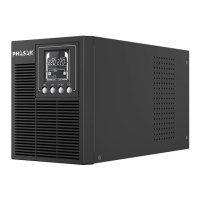
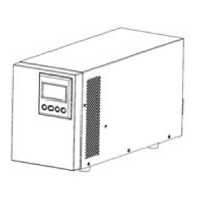
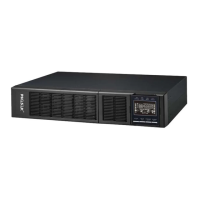
SAI/UPS On-Line Torre/Tower. 1000/2000/3000VA
PH 9210 PH 9220 PH 9230
LEA AL MENOS ESTO
Siga estrictamente todas las advertencias e instrucciones de este
manual.
Antes de instalar esta unidad, lea todas las instrucciones
atentamente.
No utilice este SAI antes de leer atentamente toda la información
de seguridad y las instrucciones de uso.
PELO MENOS LEIA ISTO
Siga estritamente todas as advertências e instruções deste
manual.
Antes de instalar esta unidade, leia todas as instruções
atentamente.
Não utilize esta UPS antes de ler atentamente toda a informação
de segurança e as instruções de uso.
AT LEAST READ THIS
Follow all warnings and instructions in this manual strictly.
Before installing this unit, read all instructions carefully.
Do not use this UPS before reading all safety information and
operating instructions carefully..

Other manuals for Phasak PH 9230

Questions and Answers

Summary

Precautions

1.1. Transportation

Guidelines for safely transporting the UPS system to prevent damage.

1.2. Preparation

Instructions on preparing the UPS for installation, including acclimatization.

1.3. Installation

Steps and requirements for correctly installing the UPS system.

1.4. Operation

Guidance on how to operate the UPS system safely and effectively.

1.5. Maintenance, Service, and Faults

Information on maintaining the UPS, service procedures, and troubleshooting faults.

Installation and Setup

2.1. Package Content

Details of items included in the UPS package and software installation.

2.2. UPS Phasak Rear Panel View

Identification and description of connectors and controls on the UPS rear panel.

Battery Module Details and Connection

Description of the battery module and steps for connecting it to the UPS.

2.3. Installing the Phasak UPS

Final installation steps and critical warnings for UPS setup.

Software Installation

Power Master Software Installation

Step-by-step guide to download and install the Power Master management software.

Operations

3.2 Button Operation

Explanation of the function of each button on the UPS for control and navigation.

3.4 Event ID Descriptions

List of event IDs and their corresponding causes and troubleshooting guidance.

3.3 LCD Settings Configuration

Guide to configuring UPS settings via the LCD interface.

Storage and Maintenance Phasak UPS

Intervention

Information regarding UPS lifespan, battery replacement, and support contact.

Storage Guidelines

Recommendations for storing the UPS unit, including battery charging.

Specifications Phasak

Technical Specifications

Detailed technical data and parameters for the UPS models.

Phasak PH 9230 Specifications

General IconGeneral
BrandPhasak
ModelPH 9230
CategoryUPS
LanguageEnglish

Related product manuals