Circuit Diagram
PHILIPS Confidential – Do Not Copy 105S5
A A' B B'
C'
D
D'
Picture
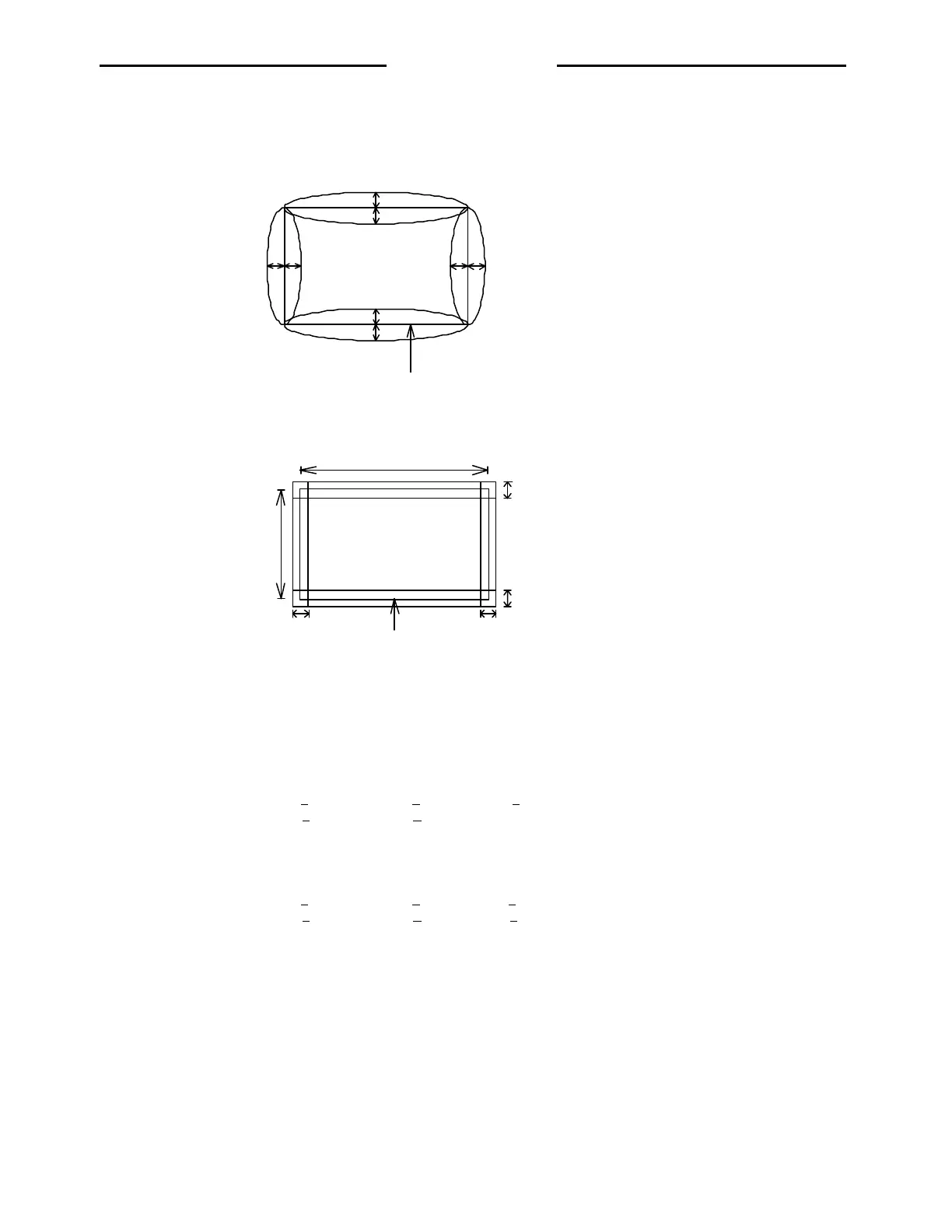
Pincushion < 1.5mm
Barlel < 1.5mm
C
3.4 Geometry Adjustment
3.4.1 Input mode 1~6
3.4.2 Pincushion and barrel distortion.
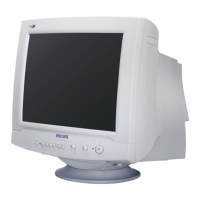
3.4.3 Trapezoid and parallelogram distortion.
4. Video Alignment / Function memory recall.
4.1 Input 800x600 @ 85Hz 53.6KHz full white pattern.
4.2 Set Brightness 100%, Contrast 0%, Turn the screen VR to optain raster light O/P about 0.8FL.
4.3 Adjust R, G, B bias control to meet following chromatically spec.
9300K à x = 0.283 + 0.003, y = 0.297 + 0.003, Y = 1.2 + 0.1 FL
6500K à x = 0.313 + 0.003, y = 0.329 + 0.003
4.4 Adjust Brightness to 50%, Contrast 100%
4.5 Apply 50mmX50mm white window pattern, Adjust RGB-driver to meet following chromaticity spec.
9300K à x = 0.283 + 0.003, y = 0.297 + 0.003, Y = 48 + 1FL
6500K à x = 0.313 + 0.003, y = 0.329 + 0.003, Y = 48 + 1FL
4.6 Apply full white pattern
4.7 Adjust ABL to optain light output = 30 + 0.6 FL (9300K)
5. Focus Adjustment.
5.1 Apply all “me” pattern at 800x600 53.6KHz mode.
5.2 Set Brightness 50%, Contrast 100%
5.3 Set focus control for best focus
Picture
2mm 2mm
2mm
2mm
202mm
270mm
Trapezoid:
Horizontal <= 2mm
Vertical <= 2mm
Parallel <= 2mm
http://jdwxzlw.com/?fromuser=华盛维修


 To Next Page