6
3. Cleaning and Troubleshooting
3.1. Cleaning
Caution When Using the Monitor
* Be sure to disconnect all cables before moving the monitor. Moving the monitor with its cables attached may damage
the cables and thus cause fire or electric shock.
* Disconnect the power plug from the wall outlet as a safety precaution before carrying out any type of cleaning or
maintenance procedure.
Front Panel Cleaning Instructions
* The front of the display has been specially treated. Wipe the surface gently using only a cleaning cloth or a soft, lint-
free cloth.
* If the surface becomes dirty, soak a soft, lint-free cloth in a mild detergent solution. Wring the cloth to remove excess
liquid. Wipe the surface of the display to remove dirt. Then use a dry cloth of the same type to dry.
* Do not scratch or hit the surface of the panel with fingers or hard objects of any kind.
* Do not use volatile substances such as insert sprays. solvents and thinners.
3.2 Troubleshooting
1. The adapter is disconnected.
2. The monitor is standby mode
1. Make sure the power LED is green.
Or plug in the adapter.
2. Menu + Menu + Volume- +
Volume-, turn on the screen.
1. HDMI cable is not connected
properly.
2. The External device is abnormal.
1. Make sure the HDMI cables
attached firmly.
2. Check the external device is ok
Micro USB HOST & Type A USB HOST
& LAN interface is abnormal.
1. USB cable or output device is
abnormal.
2. The cable is not connected
properly.
1. Make sure USB Cable or output
device is ok.
2. make sure the cable is connected
properly and the RJ45 interface LED
is green.
Can't read USB device and SD card.
The USB device and SD card is
disabled.
Press "MENU" button, choose
"setting" to enable the function.
The screen display normal but can't
use touch function.
Touch function is disabled.
Menu + Menu + Volume+ + Volume-
+ Volume- + Volume+, enable touch
function.
4. Technical Data
4.1 Specifications
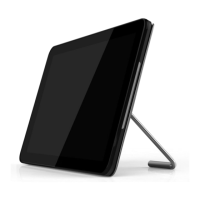
10.1” HD panel
10 points multi-touch
Programming LED strip x 2
300 cd/m
2
maximum Luminance
1280x800 panel resolution


 To Next Page