8
EN
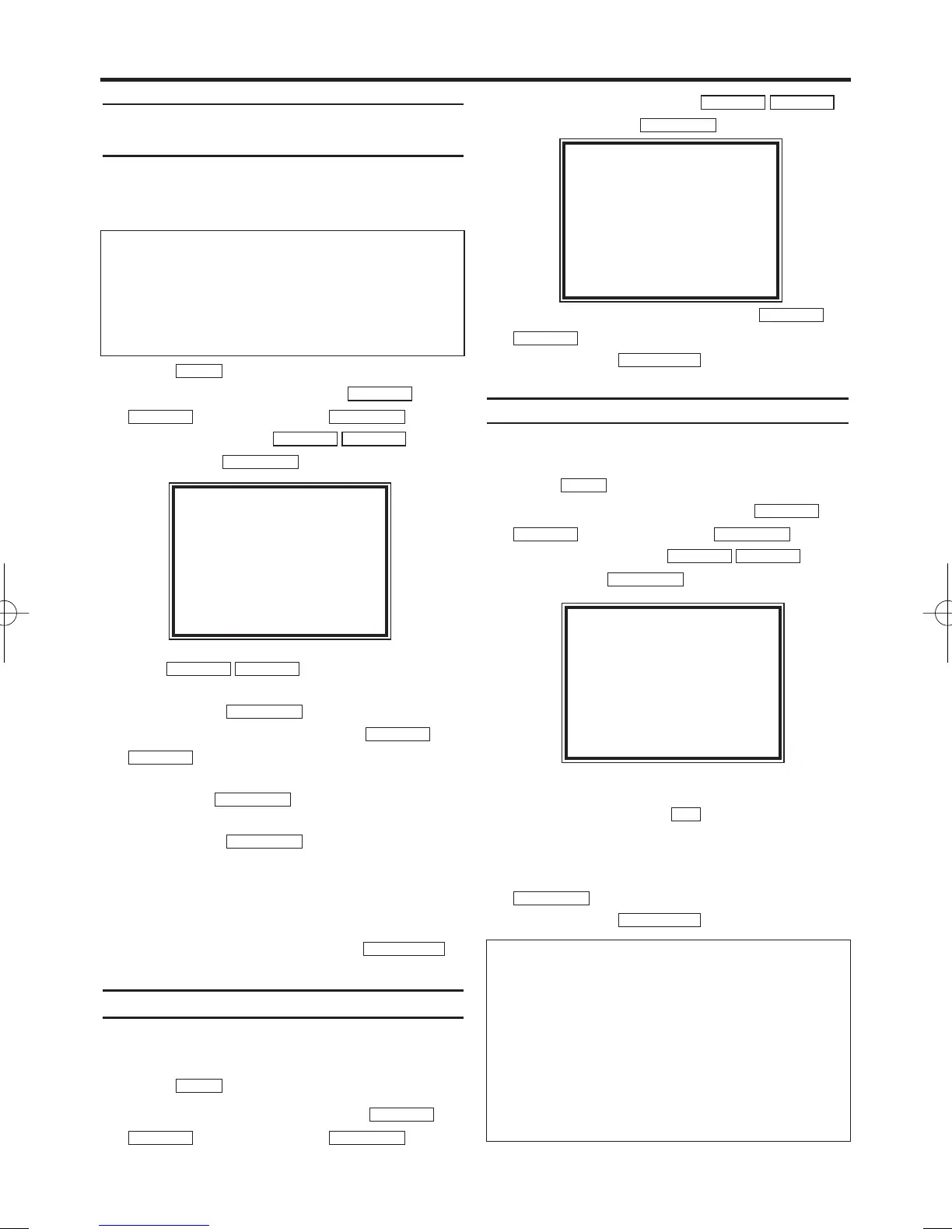
Sorting and clearing TV channels
manually
You can use this function to individually sort the
TV channels already saved or to delete unwant-
ed TV channels or those with poor reception.
1.
1.Press . The main menu will appear.
2.
2.Select 'TUNER SET UP' with
and confirm with .
3.
3.Select 'MOVE' with , and
confirm with .
4.
4.With , select the saved TV
channel that you want to move.
5.
5.Confirm with .
6.
6.Move the selected channel with
to the programme number you want
to assign.
Then pless . The programme num-
ber will change to '_ _'
7.
7.Confirm with .
8.
8.To assign other TV channels to a programme
number, repeat steps 4 to 7.
9.
9.Confirm the assignment of the TV channel
with
MOVE menu
.
10.
10.To exit the
MOVE menu
, press
.
Setting the language
You have the option of setting one of the dis-
played languages for the on-screen menu (OSD).
1.
1.Press . The main menu will appear.
2.
2.Select 'GENERAL SET UP' with
and confirm with .
3.
3.Select 'LANGUAGE' with
and confirm with .
4.
4.Select the desired language with
.
5.
5.To end, press .
Setting the clock
If the display shows an incorrect time or ' --:-- '
the time and date must be reset manually.
1.
1.Press . The main menu will appear.
2.
2.Select 'GENERAL SET UP' with
and confirm with .
3.
3.Select 'CLOCK' with and
confirm with .
4.
4.Check the time in 'TIME'. If required, please
change the time with .
5.
5.Check 'DAY', 'MONTH' and 'YEAR' in the
same way.
(Choose 'SMART CLOCK' ON or OFF with
. [14PV225])
6.
6.To end, press
.
STATUS/EXIT
FWD 1- B
0..9
FWD 1- B
STOP C-LPLAY B-K
FWD 1- BSTOP C-L
PLAY B-K
MENU
STATUS/EXIT
STOP C-L
PLAY B-K
FWD 1- B
STOP C-LPLAY B-K
FWD 1- BSTOP C-L
PLAY B-K
MENU
STATUS/EXIT
FWD 1- B
FWD 1- B
STOP C-L
PLAY B-K
FWD 1- B
STOP C-LPLAY B-K
FWD 1- B
STOP C-LPLAY B-K
FWD 1- BSTOP C-L
PLAY B-K
MENU
The clock resets automatically
If you save a TV channel that transmits TXT/PDC
on programme number ‘P01’, date and time will
and constantly be updated. As a result, time
changes, i.e. daylight savings time, will be set
automatically.
SELECT KL
DEUTSCH
→ENGLISH
ESPAÑOL
FRANÇAIS
ITALIANO
NEDERLANDS
SVENSKA
END=EXIT
TIME --:--
DATE --/--/--
SMART CLOCK [ON]
END=EXIT
Time/date is displayed incorrectly despite
manual setting
* With Smart Clock, if you save a TV channel
that transmits TXT/PDC on programme num-
ber
'P01', date and time will automatically be
updated when the TV-Video Combi is in
Stand-
by
.
If you wish to switch this automatic time cor-
rection off, select 'OFF' for Smart Clock. You
can reactivate this function at any time by
selecting Smart Clock 'ON'.
MOVE
→P01: 02 P06: 90
P02: 03 P07: 99
P03: 05 P08: 121
P04: 10 P09: 124
P05: 74 P10: 130
SELECT KL CHOOSE B
END=EXIT
T6410EZ(EN).qx3 03.3.22 14:18 Page 8











 To Next Page