!
!
Meridian 1
6
3. Operating Instructions
3.1 General Instructions
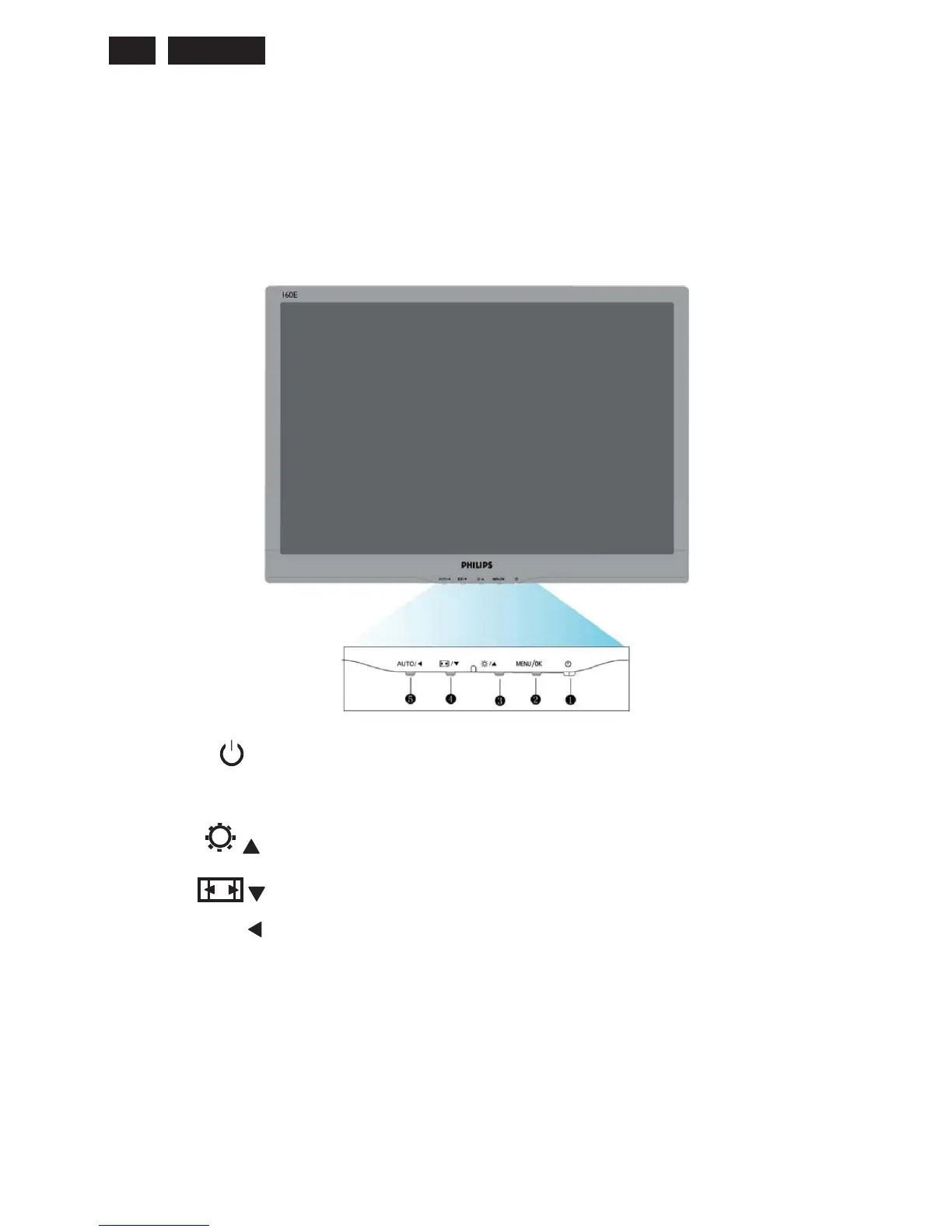
Press the power button to turn the monitor on or off. The other control knobs are located at front panel of the
monitor (see figure). By changing these setting, the picture can be adjusted to your personal preference.
γ The power cord should be connected.
γ Press the power button to turn on the monitor. The power indicator will light up.
3.2 Control Buttons
Front View
1
To switch monitor’s power on and off
2
MENU/OK
To access OSD menu/Confirm
3
/
To adjust brightness of the display
4
/
Auto picture control switching in wide and 4:3 formal
5
AUTO/
Auto adjust the horizontal position, vertical position, phase and clock settings
Return to previous OSD level



 To Next Page