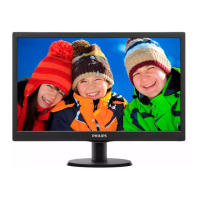
19” LCD Color Monitor 190B7
110
Auto – left – (volume) – right – power – done – (brightness) – up – ok
PC Analog only Signal Input Mode
Adjustable functions:
1st LEVEL 2nd LEVEL 3rd LEVEL
MONITOR SETUP
Exit
Brightness & Contrast Brightness
Contrast
Color Original Color, 9300K,
6500K, sRGB, User Define
Position Horizontal
Vertical
Input Selection Analog(D-Sub), Digital
(DVI-D)
Language
00,/05 : English, Spanish,
French, German, Italian and
Russian
27: English, French, Spanish,
Portuguese & S. Chinese
/69,/75,
93,/96 : English,
Spanish, French, German, Italian
and S. Chinese
Phase/ Clock
Phase
Clock
Audio Options Stand-alone (On, Off)
Mute (On, Off)
More Settings
OSD Settings Horizontal
Vertical
Reset No
Yes
Serial No.:
(Serial No.)
Timing Mode
Up/Down to Move, ok to
Confirm
Remark: “ To move “ at OSD window right-bottom.
“ To adjust “ at OSD window left-bottom.
Remark: Color Temperature factory default setting = 6500K for all regions.
Remark: Audio Selection - Stand-alone – On: Isolate video and audio control input
Stand-alone – Off: Integrate video and audio control input
Mute – On: Turn off Audio input
Mute – Off: Turn on Audio input
Reset - No: Exit
Yes: Auto adjustment for displaying timing mode and recall factory preset



 To Next Page
 Loading...