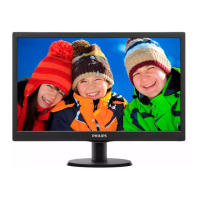
19” LCD Color Monitor 190B7
115
3.4 Horizontal scanning
Sync polarity : Positive or Negative
Scanning frequency : 30 – 83 K Hz
3.5 Vertical scanning
Sync polarity : Positive or Negative
Scanning frequency : 56 - 76 Hz
3.6 Power input connection
Power cord length : 1.8 M
Power cord type : 3 leads power cord with
Protective earth plug.
3.7 Power management
The monitor must comply with the Microsoft On Now specification, with two power management states, as defined
by the VESA DPMS document. The monitor must appropriately display the DPMS state.
Mode HSYNC VSYNC Video Pwr-cons. Indication Rec. time
Power-On On On Active < 46 W max.33W (typ.) Green LED --
Off Off Off Blanked < 1 W Amber LED < 3 s
DC Power Off N/A < 1 W LED Off
3.8 Display identification
In accordance with VESA Display Channel Standard Ver.1.0 and having DDC 2B capability
3.9 Display identification
In accordance with DVI requirement (DDWG digital Visual Interface revision 1.0) use DDC-2B, DDC/CI, and EDID
3.0 structure 2.0
4. Visual characteristics
4.1 Test conditions
Unless otherwise specified, this specification is defined under the following conditions.
(1) Input signal: As defined in 3.3, 1280x 1024 non-interlaced mode (83K/75Hz), signal sources must have
75 ohm output impedance.
(2) Luminance setting: controls to be set to 300 nits with full screen 100 % duty cycle white signal
(3) Warm up: more than 30 minutes after power on with signal supplied.
(4) Ambient light: 400 -- 600 lux.
(5) Ambient temperature: 20 ± 5 °C
4.2 Brightness
> 300 nits (at panel color temperature, at center of the screen, set contrast and brightness at maximum.)
4.3 Image size
Actual display size: 376.3 x 301.1 mm
4.4 Brightness uniformity
Set contrast at 100% and turn the brightness to get average above 300 nits at center of the screen.
Apply the Fig 1; it should comply with the following formula:



 To Next Page
 Loading...