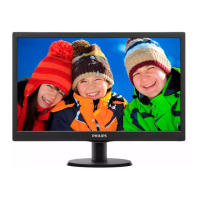
19” LCD Color Monitor 190B7
72
14. White Balance, Luminance Adjustment
Approximately 30 minutes should be allowed for warm up before proceeding White-Balance adjustment.
1. Required instruments: Chroma 7120、Chroma 2325(BGA265A)。
2. First connect the instruments together and turn on the LCD power.
3. Set Chroma 2325(BGA265A)to be T144(1280*1024/60HZ)and P105 of full white screen.
4. Enter into the factory mode:
Firstly, turn off the power, press the AUTO and OK at the same time, and then turn the power on (AUTO and OK
are still pressed, about 10s), release, press the menu again will activate the factory mode, the factory OSD will
be at the left top of the screen.
Move the cursor to select the Hyson 190B7***********, press OK button to enter into the sub-menu; Move the
cursor again to select ” Cool/warm “.
5. Set Chroma-7120 CH3 as 9300K color temperature by ID key, press SC and Next key set 9300K: x=283±20,
y=297±20,Y>200.
Set Chroma-7120 CH4 as 6500K color temperature by ID key, press SC and Next key set 6500K: x=313±20,
y=329±20,Y>230.
6. Adjust 9300K color temperature:
1). Switch the Chroma-7120 to RGB-Mode (with press “MODE” button)
2). Switch the MEM. Channel to Channel 3 (with up or down arrow on chroma 7120)
3). Adjust the R of Cool item on factory window until chroma 7120 indicator reached the value R=100±5
4). Adjust the G of Cool item on factory window until chroma 7120 indicator reached the value G=100±5
5). Adjust the B of Cool item on factory window until chroma 7120 indicator reached the value B=100±5
6). Switch the Chroma-7120 to x, y, Y Mode (with press “MODE” button), check whether the color-temperature
value is within Spec (the Spec is 9300K: x=283±20, y=297±20,Y>200). If not in the SPEC, repeat step 3,4,5.
7. Adjust 6500K/SRGB color temperature:
1). Switch the Chroma-7120 to RGB-Mode (with press “MODE” button)
2). Switch the MEM. Channel to Channel 4 (with up or down arrow on chroma 7120)
3). Adjust the R of Warm item on factory window until chroma 7120 indicator reached the value R=100±5
4). Adjust the G of Warm item on factory window until chroma 7120 indicator reached the value G=100±5
5). Adjust the B of Warm item on factory window until chroma 7120 indicator reached the value B=100±5
6). Switch the Chroma-7120 to x, y, Y Mode, check whether the color-temperature value is within Spec.
the Spec is 6500K: x=313±20, y=329±20,Y>230. If not in the SPEC, repeat step 3,4,5.
Turn the Power-button off to quit and save the factory mode.



 To Next Page
 Loading...