EasyManua.ls Logo

Philips 21PT136B - Installation; Remote Control Setup; Powering TV On and Off; Standby and Automatic Switch Off

Philips 21PT136B
12 pages
Print Icon
To Next Page IconTo Next Page
To Previous Page IconTo Previous Page
Loading...
Installation
Follow
the
instructions
very
closely
and
step
by
step,
o
This
circle
in
front
of
a
sentence
indicates
that
you
have
to
do
something.
>
This
arrow
in
front
of
a
sentence
indicates
the
result
of
what
you
have
done.
condition.
Only
use
good
quality
aerial
connectors
and
cables.
The
aerial
plugs
should
be
tightly
connected.
Connect
the
TV
tightly
to
the
mains
supply
socket.
Connect
the
aerial
(indoor
or
outdoor)
plug
tighdy
to
the
nr
socket
on
the
back
of
the
TV.
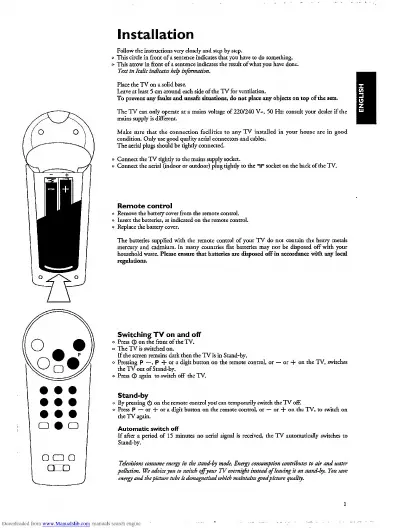
Remote
control
o
Remove
the
battery
cover
from
the
remote
control.
°
Replace
the
battery
cover.
The
batteries
supplied
with
the
remote
control
of
your
TV
do
not
contain
the
heavy
metals
mercury
and
cadmium.
In
many
countries
flat
batteries
may
not
be
disposed
off
with
your
household
waste.
Please
ensure
that
batteries
are
disposed
off
in
accordance
with
any
local

Related product manuals