EasyManua.ls Logo

Philips 21PT136B - Front Panel Connections; Audio;Video Input Usage; S-Video Input Usage; Headphone Usage

Philips 21PT136B
12 pages
Print Icon
To Next Page IconTo Next Page
To Previous Page IconTo Previous Page
Loading...
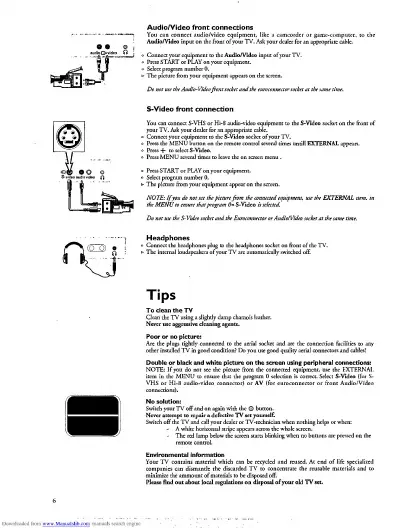
Audio/Videofront
connections
.
o
Connect
your
equipment
to
the
Audio/Video
input
of
your
TV.
°
Press
START
or
PLAY
on
your
equipment.
Do
not
use
the
Audio-Video
front
socket
and
the
euroconnector
socket
at
the
same
time.
S-Video
front
connection
You
can
connect
S-VHS
or
Hi-8
audio-video
equipment
to
the
S-Video
socket
on
the
front
of
°
Connect
your
equipment
to
the
S-Video
socket
of
your
TV.
o
Press
the
MENU
button
on
the
remote
control
several
times
untill
EXTERNAL
appears,
o
Press
+
to
select
S-Video.
°
Press
MENU
several
times
to
leave
the
on
screen
menu
.
o
Press
START
or
PLAY
on
your
equipment.
NOTE:
If
you
do
not
see
the
picture
from
the
connected
equipment
,
use
the
EXTERNAL
item
.
in
the
MENU
to
ensure
that
program
0
=
S-Video
is
selected
Do
not
use
the
S-Video
socket
and
the
Euroconnector
or
Audio/Video
socket
at
the
same
time.
Headphones
Tips
Clean
the
TV
using
a
slightly
damp
chamois
leather.
Never
use
aggressive
cleaning
agents.
other
installed
TV
in
good
condition?
Do
you
use
good
quality
aerial
connectors
and
cables?
Double
or
black
and
white
picture
on
the
screen
using
peripheral
connections:
NOTE:
If
you
do
not
see
the
picture
from
the
connected
equipment,
use
the
EXTERNAL
VHS
or
Hi-8
audio-vkko'connecto^for
6
^
(for
euroconnectar'o/front
Audfo/Video
No
solution:
Switch
your
TV
off
and
on
again
with
the
©
button.
Switch
off
the
TV
and
call
your
dealer
or
TV-technician
when
nothing
helps
or
when:
Environmental
information
companies
can
dismantle
the
discarded
TV
to
concentrate
the
reusable
materials
and
to
Please
find
out
about
local
regulations
on
disposal
of
your
old
TV
set.

Related product manuals