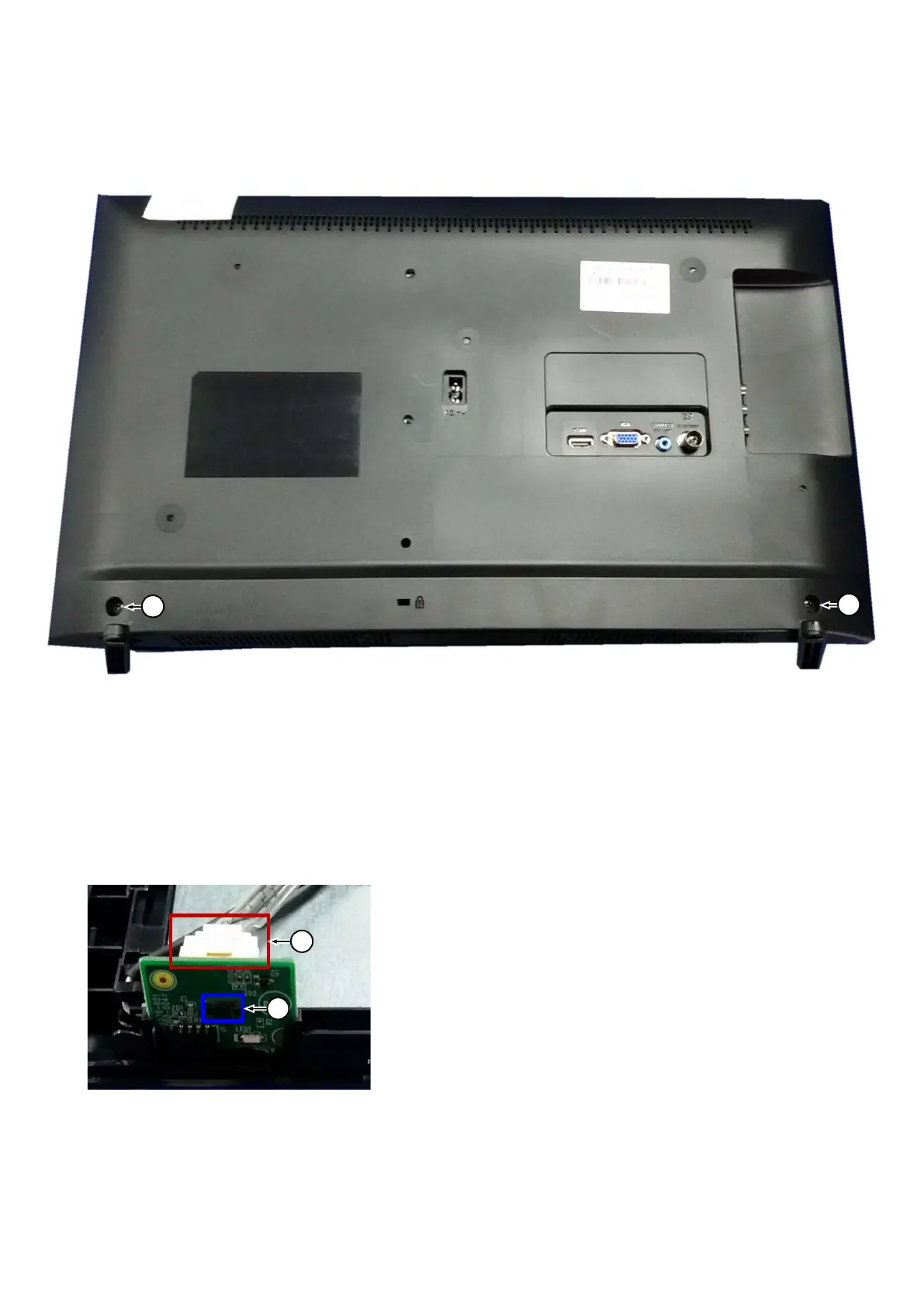
3.2 Assembly/Panel Removal
3.2.1 Stand removal
1. Remove the fixation screws [1] that secure the stand
2. Take the stand bracket out from the set.
3.2.2 IR board Control Unit
1. Unplug the connector [2] from the IR board.
2. Press the snap that marked by blue box below backward then take out the IR board.
When defective, replace the whole unit.
1
1
2
1




 To Next Page