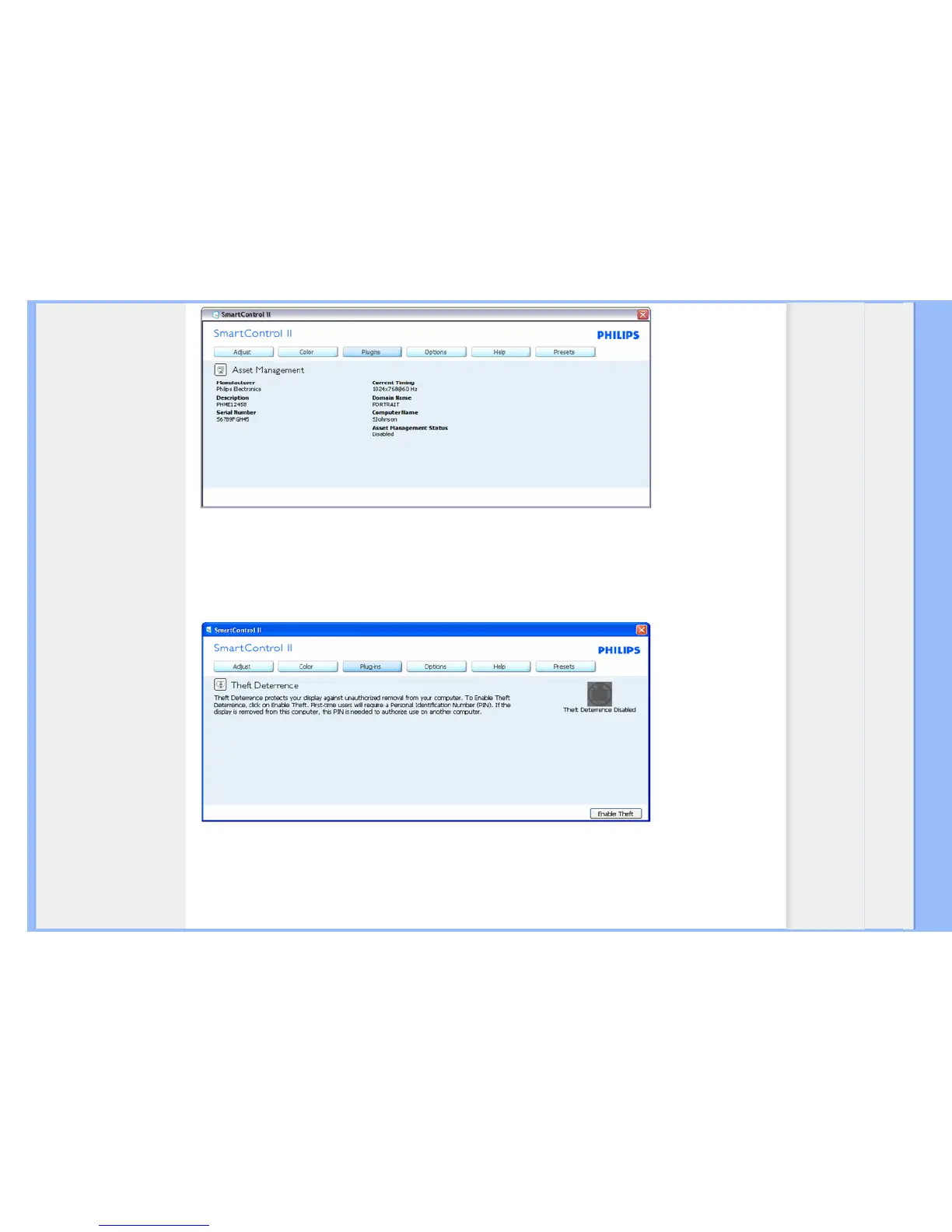
Displays Assent Management information on Managment, Description, Serial Number, Current Timing, Domain Name, and Asset
Management Status.
To return to Plug-in home pane select the plug-in tab.
Plug-Ins - Theft Deterence Pane will only be active when selecting Theft from the drop-down Plug Ins menu.
To enable Theft Deterrence, clicking Enable Theft button brings up the following screen:


 To Next Page
 Loading...