• Front View Produt Description
• Connecting to Your PC
• The Base
• Getting Started
• Optimizing Performance
Installing Your LCD Monitor
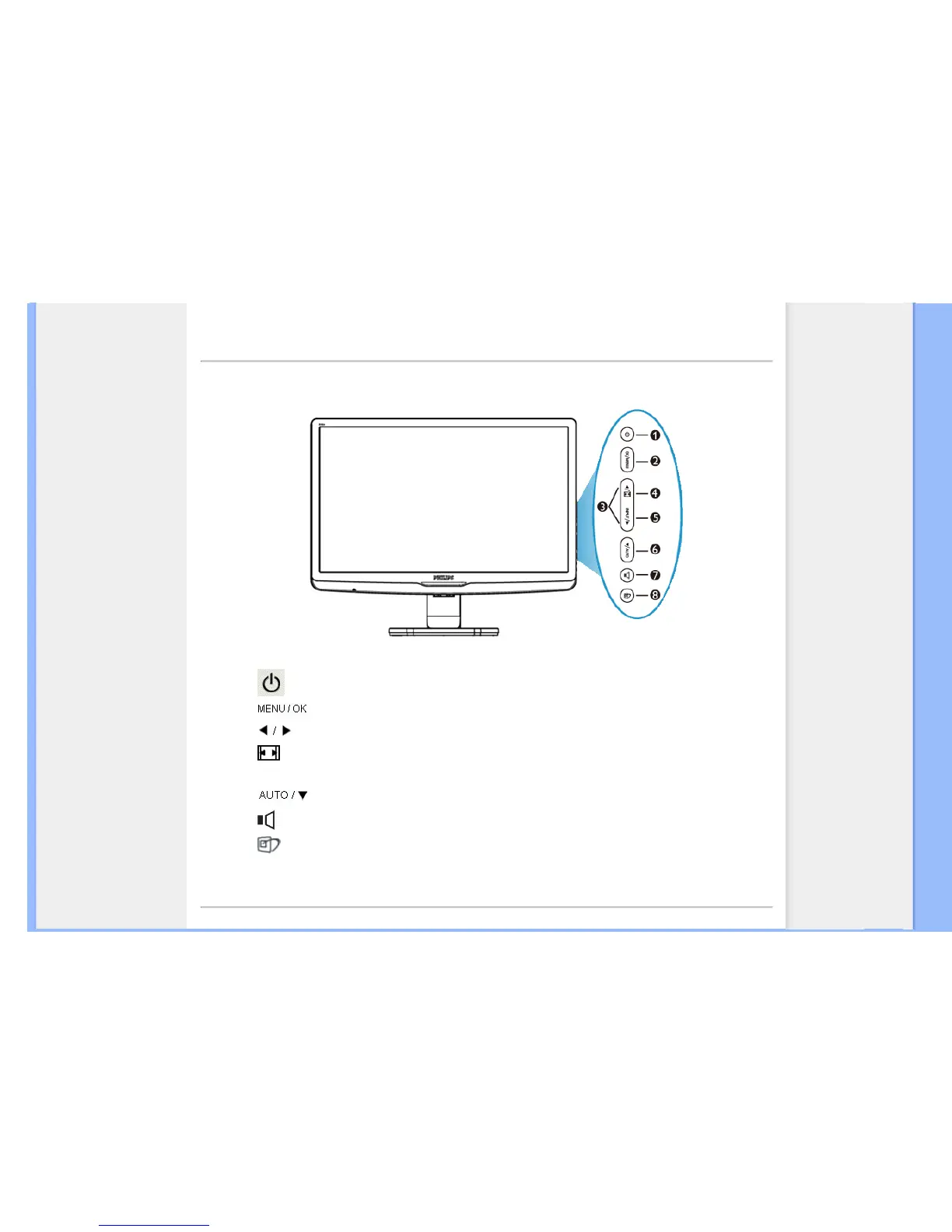
Front View Product Description
1 To switch monitor's power On and Off
2 To access the OSD menu
3
To adjust the OSD menu
4 Change to 4:3 display
5
Input
To change the signal input source
6
Automatically adjust the horizontal position, vertical position, phase and
clock settings / Return to previous OSD level
7 To adjust volume of the display
8
SmartImage. There are five modes to be selected: Office Work, Image
Viewing, Entertainment, Economy, and Off
RETURN TO TOP OF THE PAGE











 To Next Page