•
Description of the On-Screen
Display
• The OSD Tree
On-Screen Display
Description of the On Screen Display
What is the On-Screen Display?
On-Screen Display (OSD) is a feature in all Philips LCD monitors. It allows an end user to adjust
screen performance or select functions of the monitors directly through an on-screen instruction
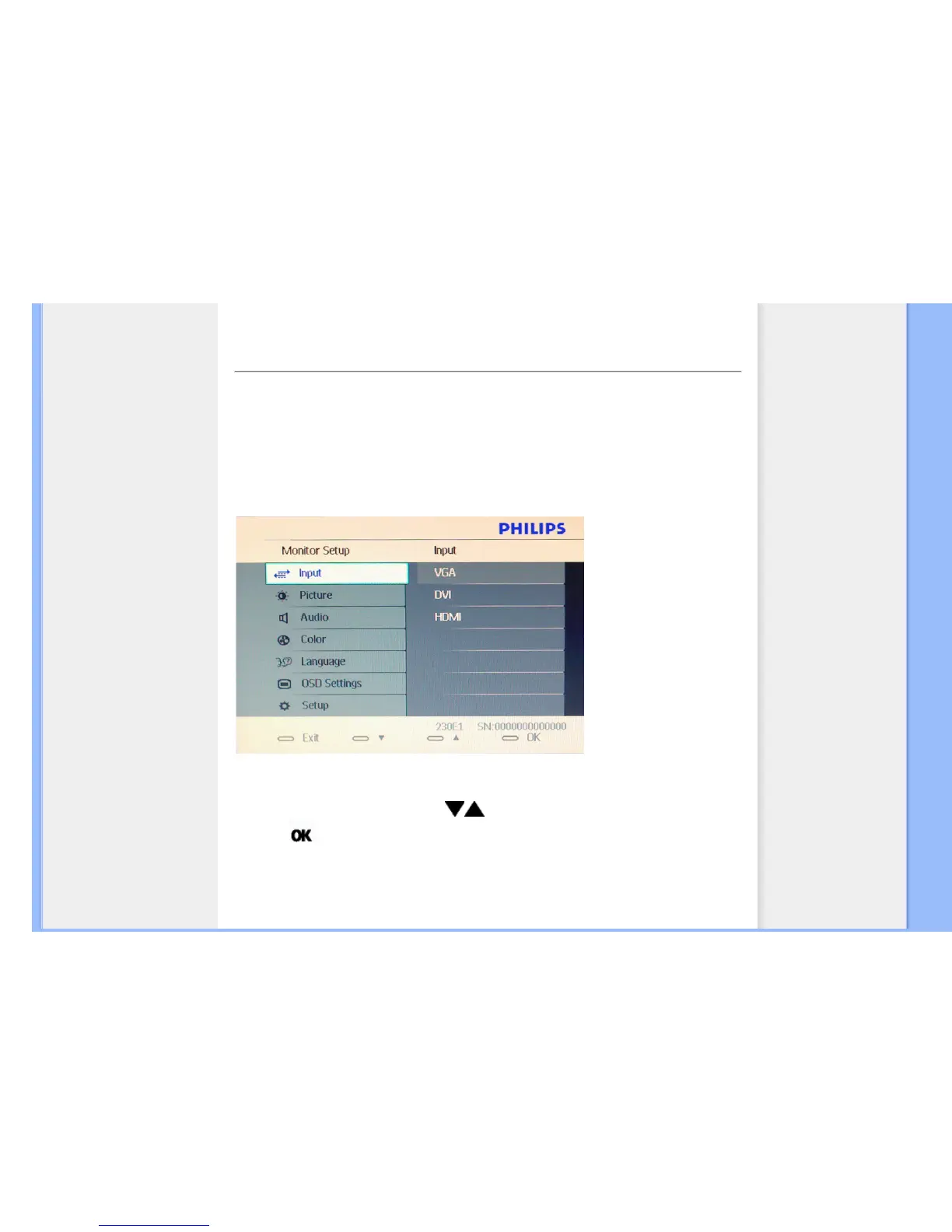
window. A user friendly on screen display interface is shown as below :
Basic and simple instruction on the control keys.
In the OSD shown above users can press buttons at the front bezel of the monitor to move
the cursor,
to confirm the choice or change.
RETURN TO TOP OF THE PAGE











 To Next Page