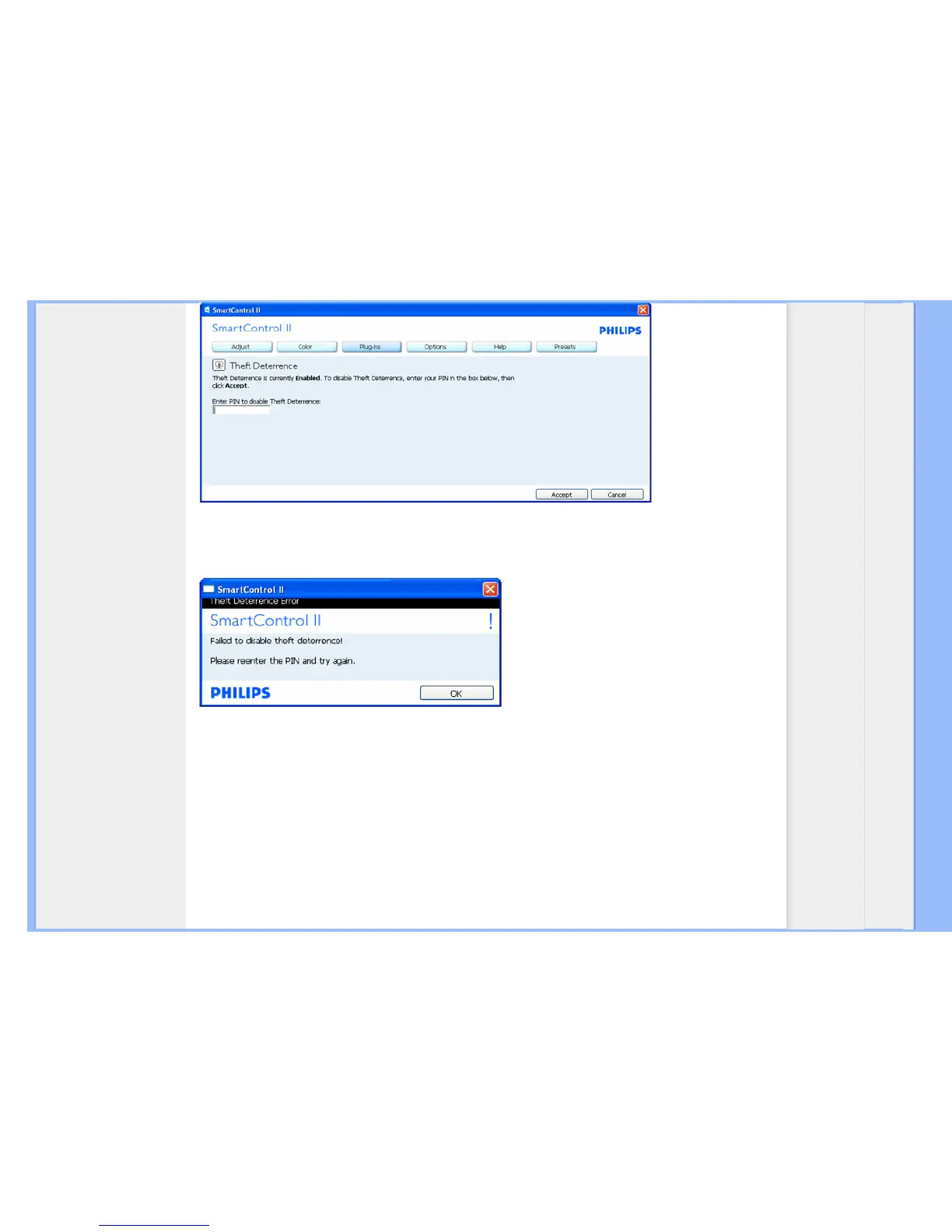
1. After entering PIN, Accept button disables PIN.
2. Cancel button opens up main Theft Deterrence pane, displaying Theft Deterrence Disabled. Enable Theft and PIN Options
buttons.
3. Entering incorrect PIN results in the following dialog box:
Options>Preferences - Will only be active when selecting Preferences from the drop-down Options menu. On a non-
supported display capable of DDC/CI, only the Help and Options tabs are available.


 To Next Page
 Loading...