34
Meridian 4
12.3 Install the ISP tool
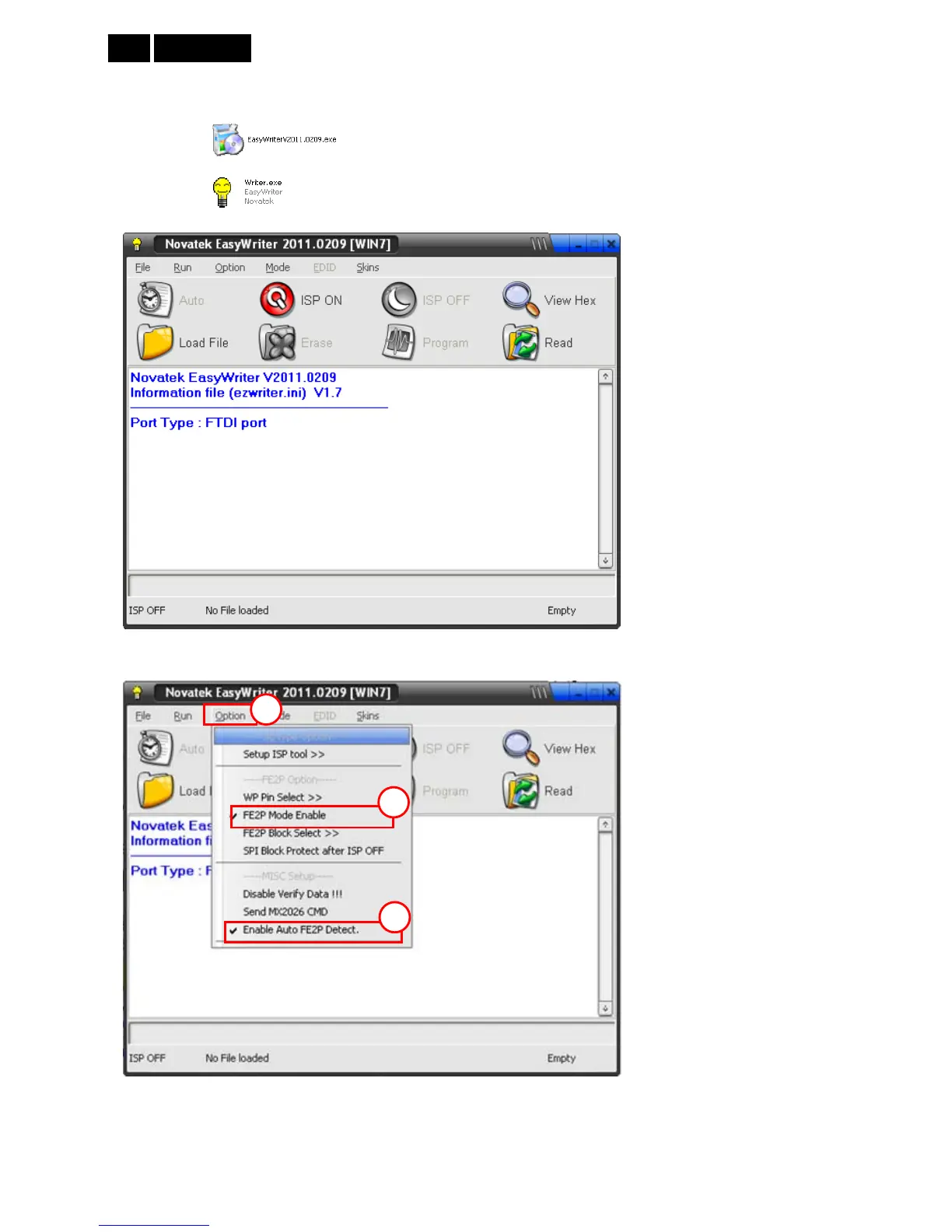
Take 227E3L for example:
1. Double-click to install ISP program.
2. Double-click
to run the ISP tool.
3. Set the parameters to restore the HDCP key if the monitor has DVI or HDMI port.
(1) Click the “Option” item.
(2) Tick “FE2P Mode Enable”.
(3) Tick “Enable Auto FE2P Detect”.
1
2
3













 To Next Page