24
Teletext
Select subpages
When a selected teletext page consists of different subpages, one of the
subpages appears on the screen.
The coloured number in the first information line refers to the displayed
subpage.
The other subpages can be selected in 2 ways :
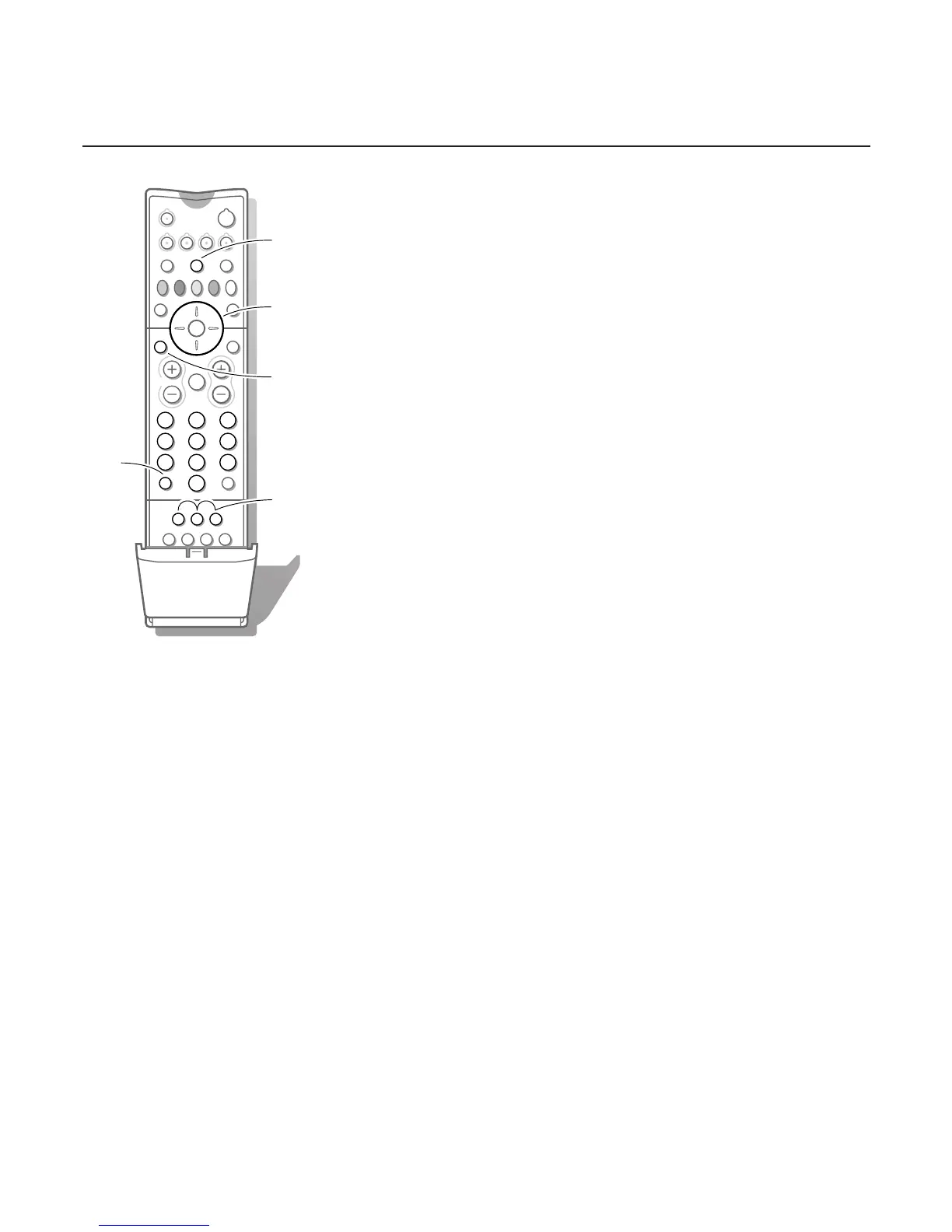
With the cursor left/right
The other subpage numbers appear in white as soon as the transmission has
found them.They are stored in the memory so that they are available while
the teletext page is on screen.
Select with the cursor left/right the previous or the following subpage.
With the U key
• Enter the subpage number yourself:
Press U. Enter the desired subpage with the digit keys : e.g. 3 for the third
page of seven subpages.
The TV searches for the selected subpage.
• Automatically rotating subpages:
Press U again to cancel the entered digit key for the subpage.
Now the subpages rotate automatically.
Press U again to select the subpages with the cursor left/right again.
Special teletext functions
Hold
Press S to stop the automatically rotating of the subpages or to stop the
page counter from seeking when you have entered a wrong page number or
when the page is not available.
Enter another page number.
Enlarge
Press h repeatedly to display the upper part, the lower part and then to
return to the normal page size.When the upper part is displayed, you can
scroll the text, line by line using the cursor up/down.
Reveal
Press f to reveal/conceal the hidden information, such as solutions to
riddles and puzzles.
Select Continuous Subtitles
TV channels with teletext often transmit programmes with subtitling. For
each TV channel you can store a subtitle page which will be displayed
continuously if the programme being broadcast is transmitted with subtitles.
Switch on teletext and select the proper subtitle page from the index.
Switch off teletext.
Now the subtitle page is stored for the selected TV channel.
Once subtitles have been stored and
Subtitle On has been selected they will
automatically be displayed on the selected TV channel if subtitles are in the
transmission.
Select
Subtitle On or Off in the Features menu, see p. 16.
The subtitle symbol j appears when
Subtitle On is selected.
Remark: you are in teletext mode, so only teletext functions are available.
cursor to select
subpages








 To Next Page