10 Getting to Know Your Hub
What do the sounds mean?
When sounds are enabled, the Hub plays short sounds/
melodies to indicate specific events or conditions have
occurred. Table 3 explains what it means when the Hub
plays sounds.
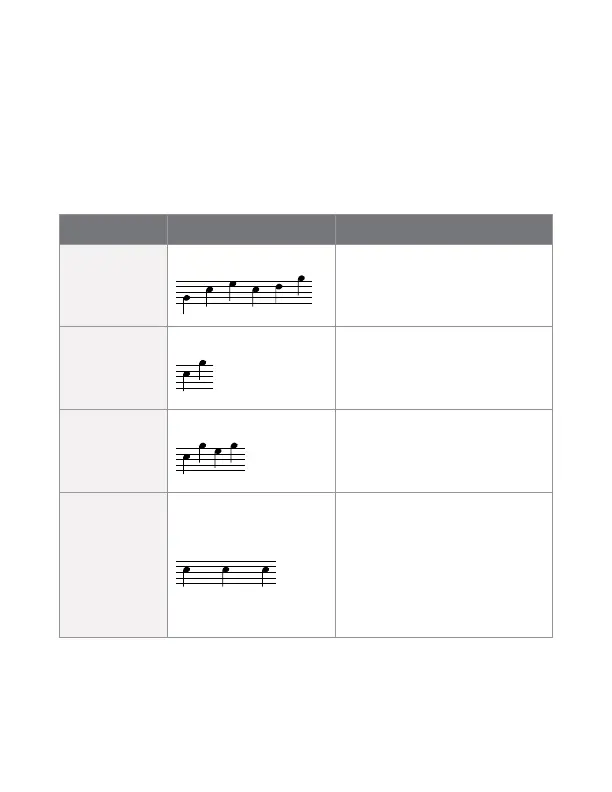
Table 3. Sounds on the Hub
Title Melody Events/Conditions
Hub ready Six tone melody After start up, your Hub
is ready to wirelessly
connect to your medical
device(s).
Information
received
Two short tones Your Hub successfully
received data from your
medical device.
Success Four short tones Your Hub successfully
transmitted your data to
the service provider that
supplied your Hub.
Alert Long tone
repeated one or
more times
• Your Hub failed to
receive valid data
from your medical
device.
• Your Hub is unable to
connect to the long-
range network.
Sounds are turned o by default. If you would
like your Hub to play sounds, notify the service
provider that supplied your Hub.


 To Next Page