江南家电维修论坛会员专用!
http://bbs.520101.com
Mechanical Instructions
EN 9TPT1.1HA LA 4.
4.3.5 Keyboard Control Panel removal
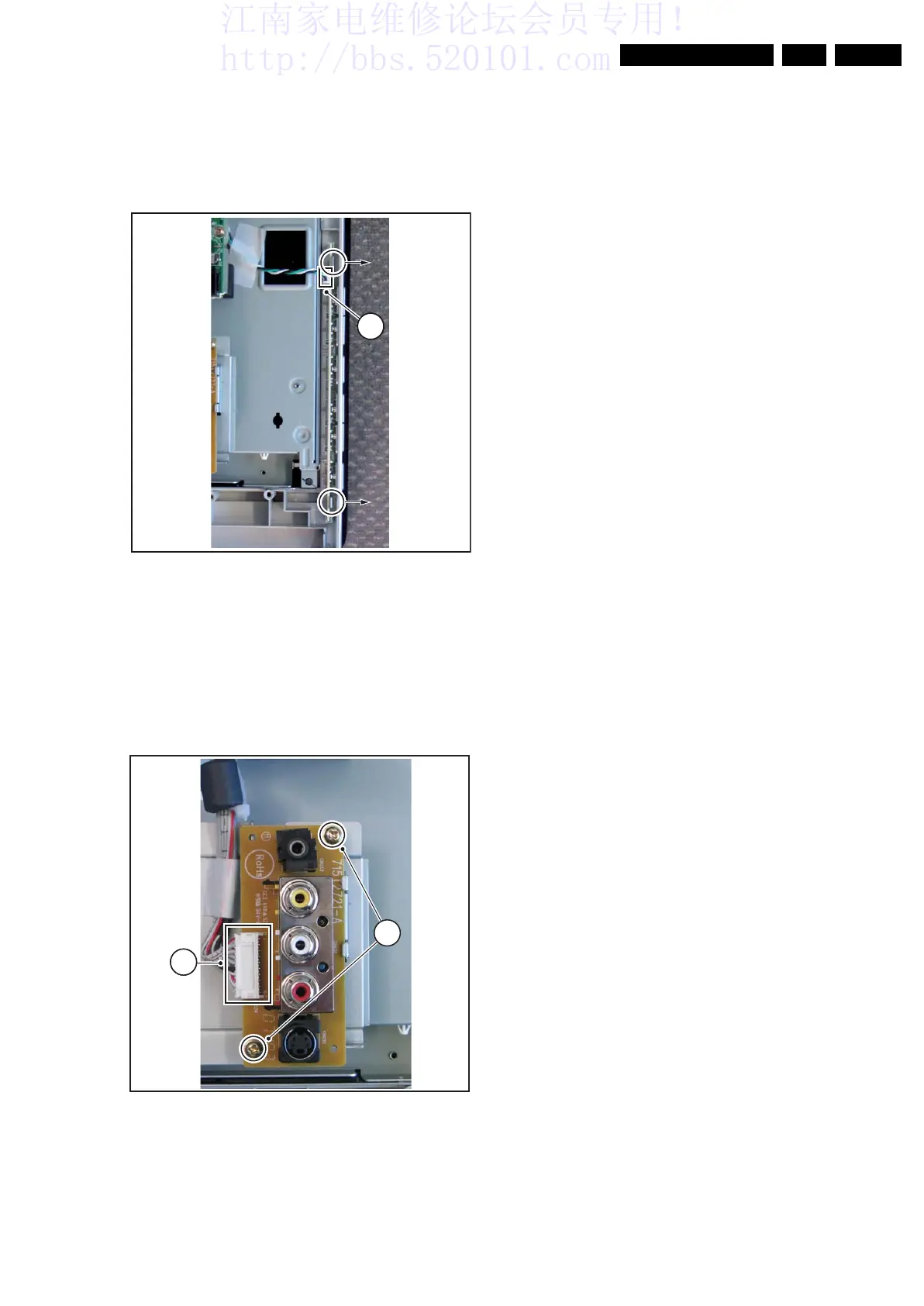
Refer to figure “Keyboard Control Panel removal” for details.
1. Disconnect the connector [1] from the panel.
2. Gently release the panel clips in the indicated direction.
3. Take out the panel.
When defective, replace the whole unit.
Figure 4-7 Keyboard Control Panel removal
4.3.6 SIde I/O Panel removal
Refer to figure “Side I/O Panel removal” for details.
1. Disconnect the connector [1] from the panel.
2. Remove the fixation screws [2].
3. Take out the panel.
When defective, replace the whole unit.
Figure 4-8 Side I/O Panel removal
H_17010_010.eps
180907
1
H_17010_005.eps
180907
2
1






 To Next Page