12
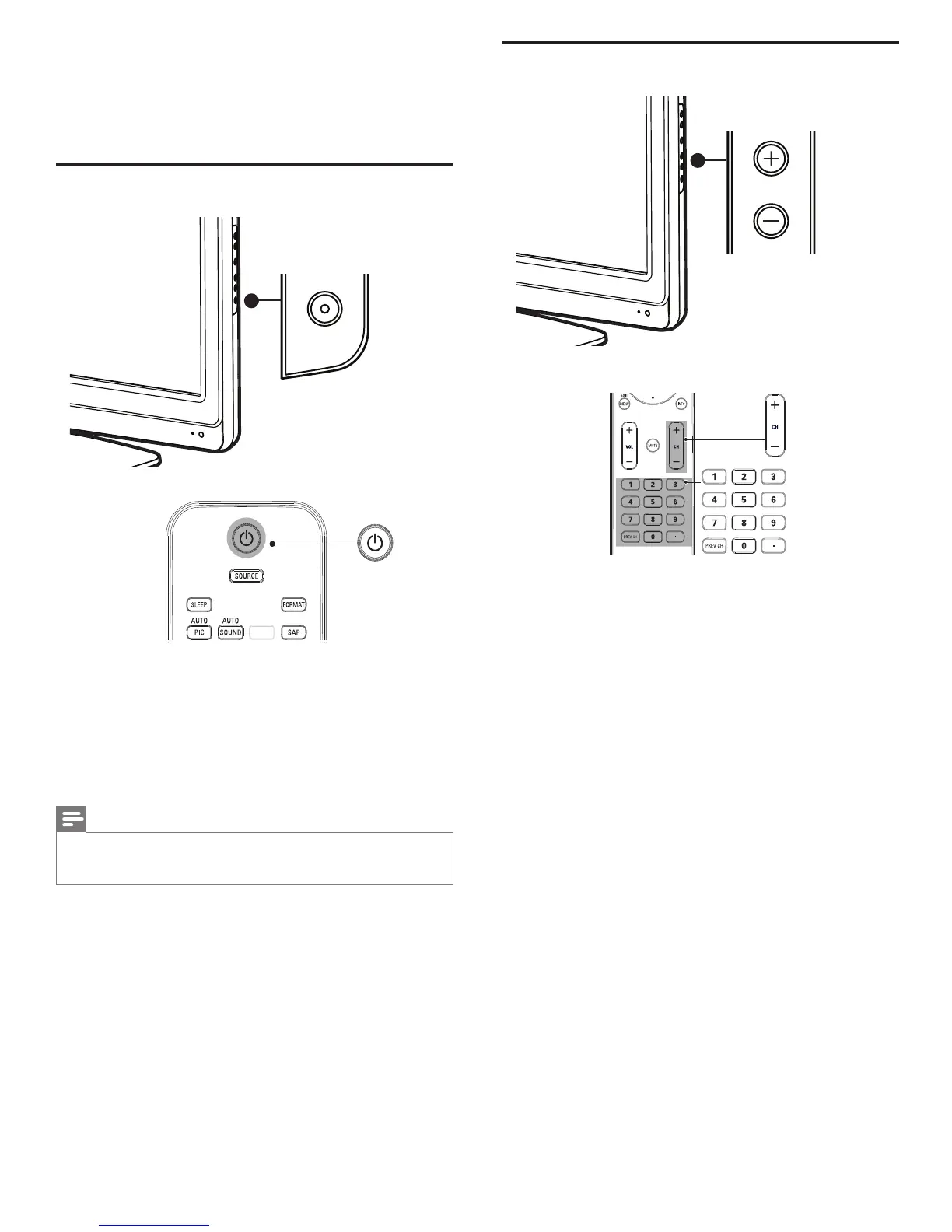
Switching channels
CHANNEL
Press CHANNEL +/- on the side of the TV. For digital channels, press
a number (1 to 135) followed by a dot “.” and then the corresponding
sub channel number (1 to 135). e.g. 108.30.
• Press CH +/- or enter a number on the remote control.
• Press PREV CH to return to the previously viewed channel.
5 Use your TV
This section helps you perform basic TV operations.
Switching your TV on/off or to standby
.
POWER
To switch on
• Press . POWER at the side of the TV.
• Press . (Standby-On) on the remote control.
To switch to standby
• Press . (Standby-On) on the remote control.
To switch off
• Press . POWER at the side of the TV.
Note
• Energy consumption contributes to air and water pollution. When the AC power
cord is plugged in, your TV consumes energy. Your TV has a very low standby power
consumption.
EN











 To Next Page