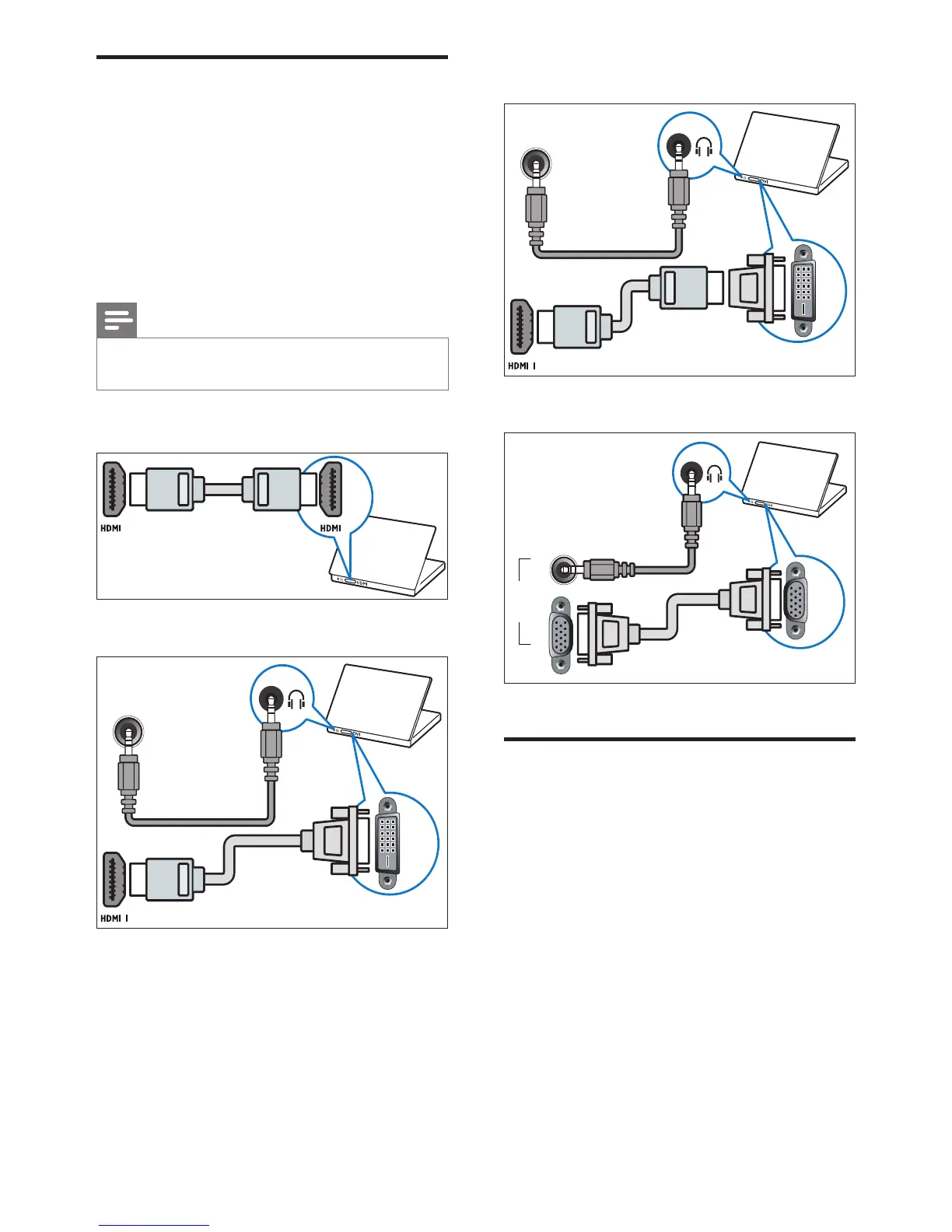
• VGA cable
Use Philips EasyLink
Get the most out of your HDMI-Consumer
Electronic Control (CEC) compliant devices
with Philips EasyLink enhanced control features.
If your HDMI-CEC compliant devices are
connected through HDMI, you can control
them at the same time with your TV remote
control.
To enable Philips EasyLink, you need to:
• Connect at least two HDMI-CEC
compliant devices through HDMI
• Congure each HDMI-CEC compliant
device properly
• Switch on EasyLink
Connect a computer
Before you connect a computer to the TV
• Set the screen refresh rate on your
computer to 60Hz.
• Select a supported screen resolution on
your computer.
Connect a computer with one of the following
connectors:
Note
• Connections via DVI or VGA require an additional
audio cable.
• HDMI cable
• DVI-HDMI cable















 To Next Page