4.3.5 PC Media server
settings
Media servers need to be set for sharing their files and
folders. Follow the instructions closely to set your
specific server.
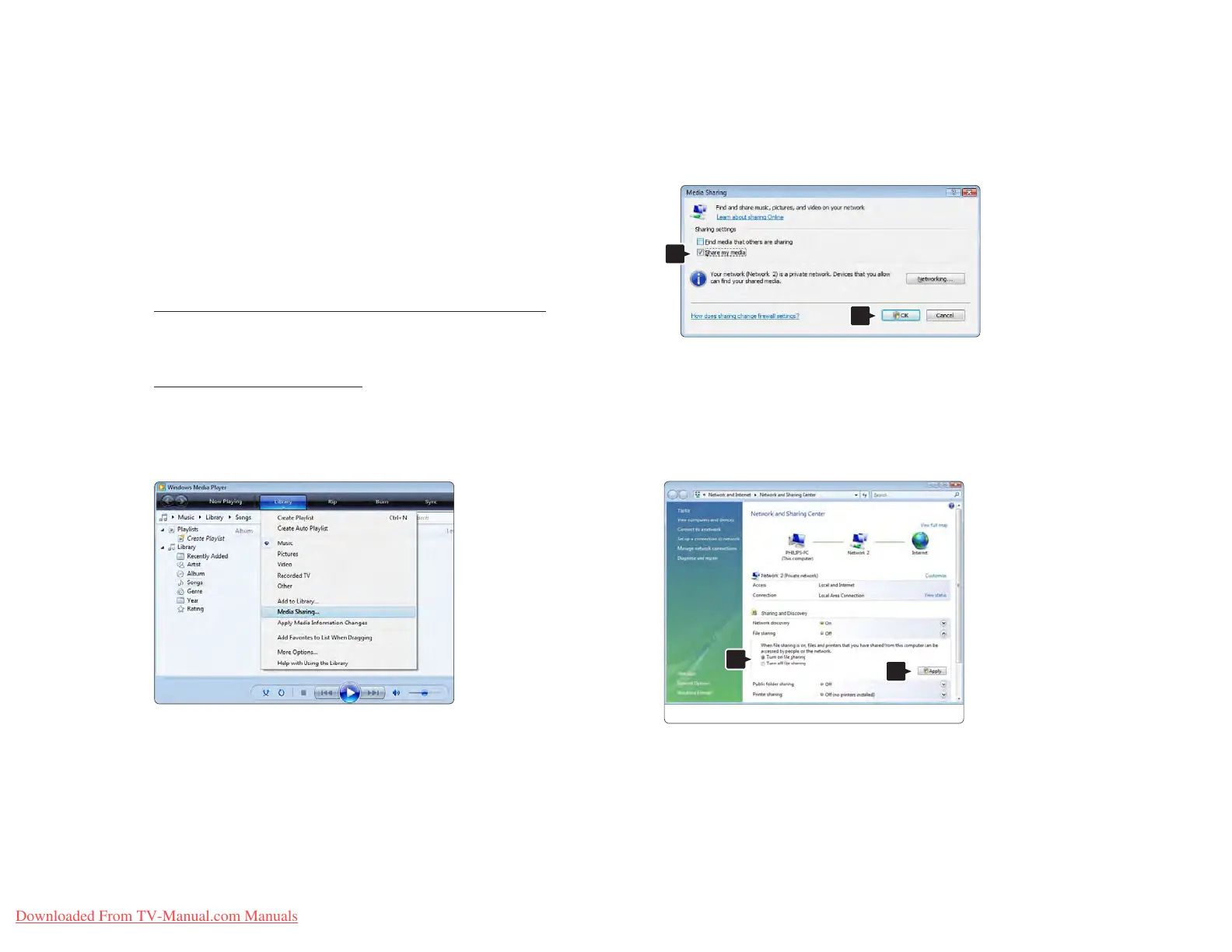
Windows Media Player v11 on Windows Vista
Set for network sharing
In Windows Media Player select Library from the menu
and select Media sharing.
In the Media Sharing window, check the Share my
media box. Click OK.
If no network connection was found, and you are
unable to check this box, click the Networking button
to show the Network and Sharing Center window, …















 To Next Page